How always-on
agents work
What makes an always-on agent tick
~14 min read
- Speaker
- Lee Robinson
- Course
- Stanford CS146S
- Date
- 2026-10-08
- Runtime
- 45:17
Speaker now at SpaceX (ML, per his website; formerly Cursor). Product: Bot; GrokBot in the talk. No Q&A recorded.
An always-on agent is the basic agent loop moved onto a server. The loop: “model + tools in a loop”: the model calls tools until none are needed; CS146S students built it in week one. On a server:
- events wake it; it runs a turn, then stops;
- a cloud computer that sleeps;
- all state in a database.
What makes it work: better models, and the infrastructure and context engineering around the loop.
How does a loop that stops when the terminal closes become a colleague that works for months?
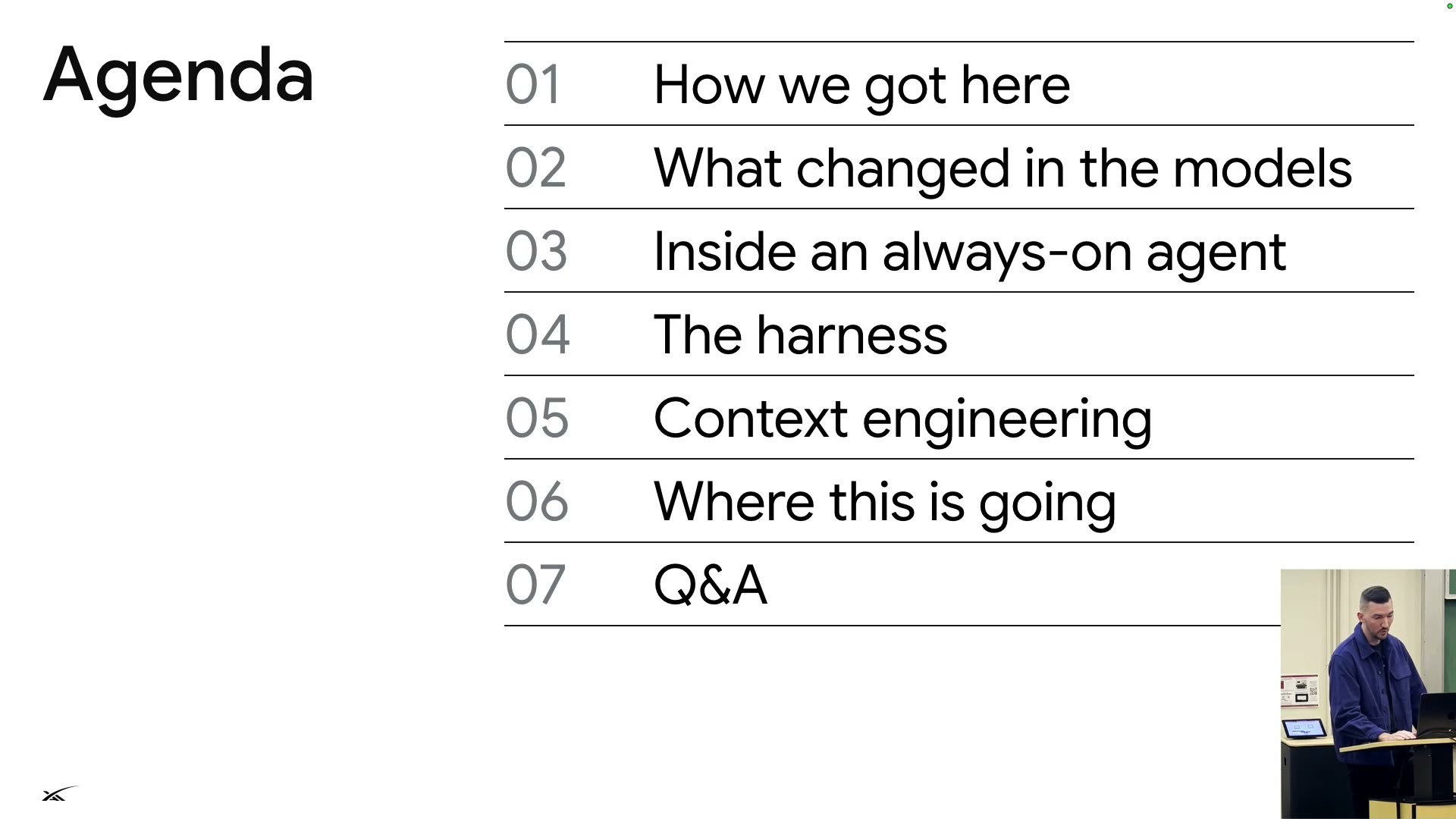
- I00:00–10:04StartWhy
As models improve, the agent goes from "waits for approval" to "works while you steer"; the interface gets simpler.
- II10:04–18:07BackboneAlways on
Nothing runs when idle: events wake it, a turn runs and stops, state is saved, crashes resume from the last step.
- III18:07–27:24HarnessHow it works
One tool talks to you; other tools load on demand; helpers take heavy work; four safety defenses.
- IV27:24–34:27ContextStay sharp, stay cheap
Stable prefix, compaction while the cache is warm, layered memory: long runs stay sharp and cheap.
- V34:27–45:17FutureWhere it goes
Every failure becomes an eval; build as little as possible; learn the new building blocks and fundamentals.
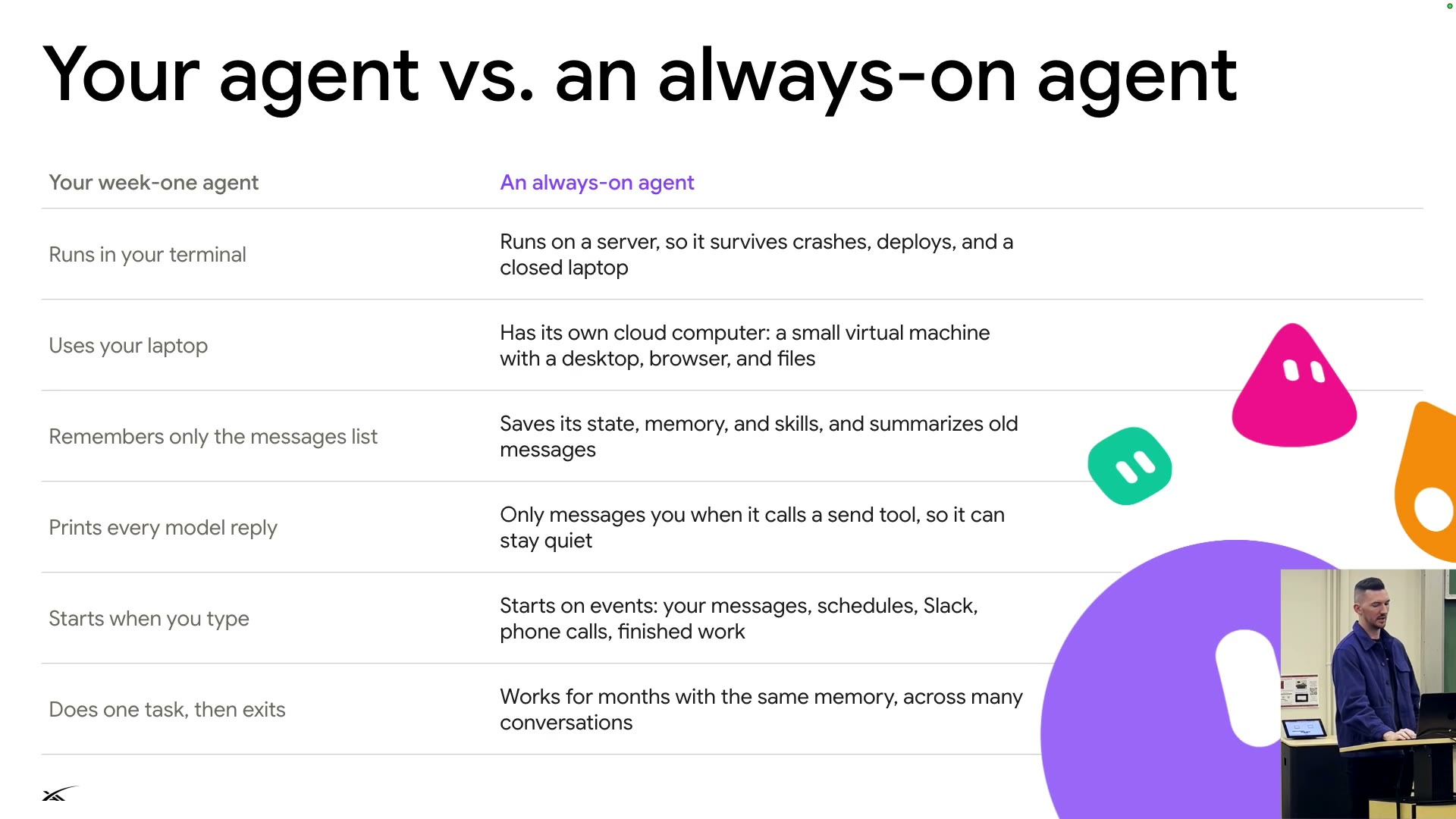
Your agent vs. an always-on agent
From the week-one loop to always-on
Same loop, new way to run it
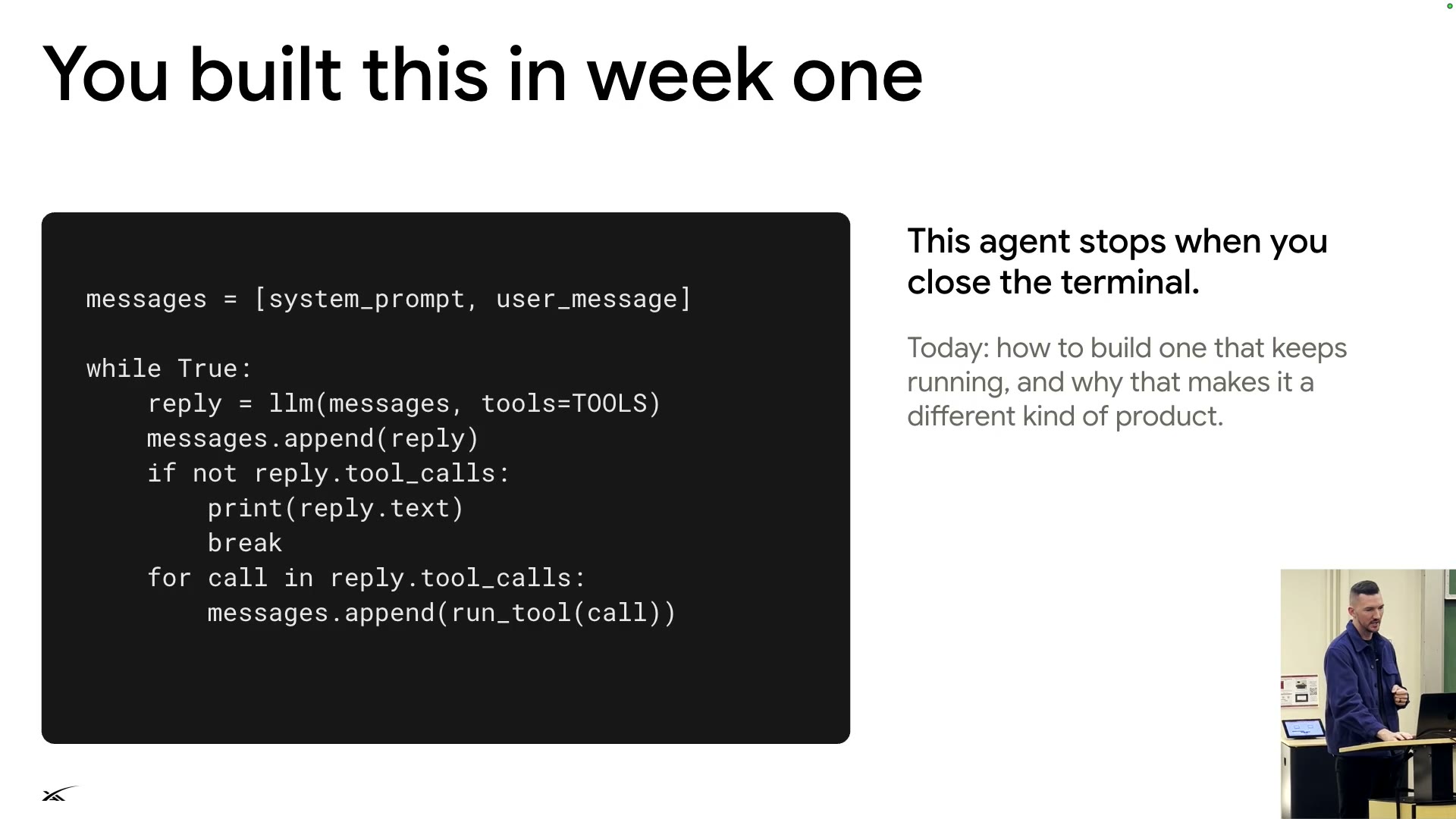
The week-one agent (S03: "You built this in week one") stops when the terminal closes. This lecture: keeping the same loop running.
The week-one loopS03
messages = [system_prompt, user_message]
while True:
reply = llm(messages, tools=TOOLS)
messages.append(reply)
if not reply.tool_calls:
print(reply.text)
break
for call in reply.tool_calls:
messages.append(run_tool(call))
- Like a colleague: knows when to stay quiet, works in the background, returns only with important updates. Goal: weeks or months of work.
How developers work with AI
How we got here
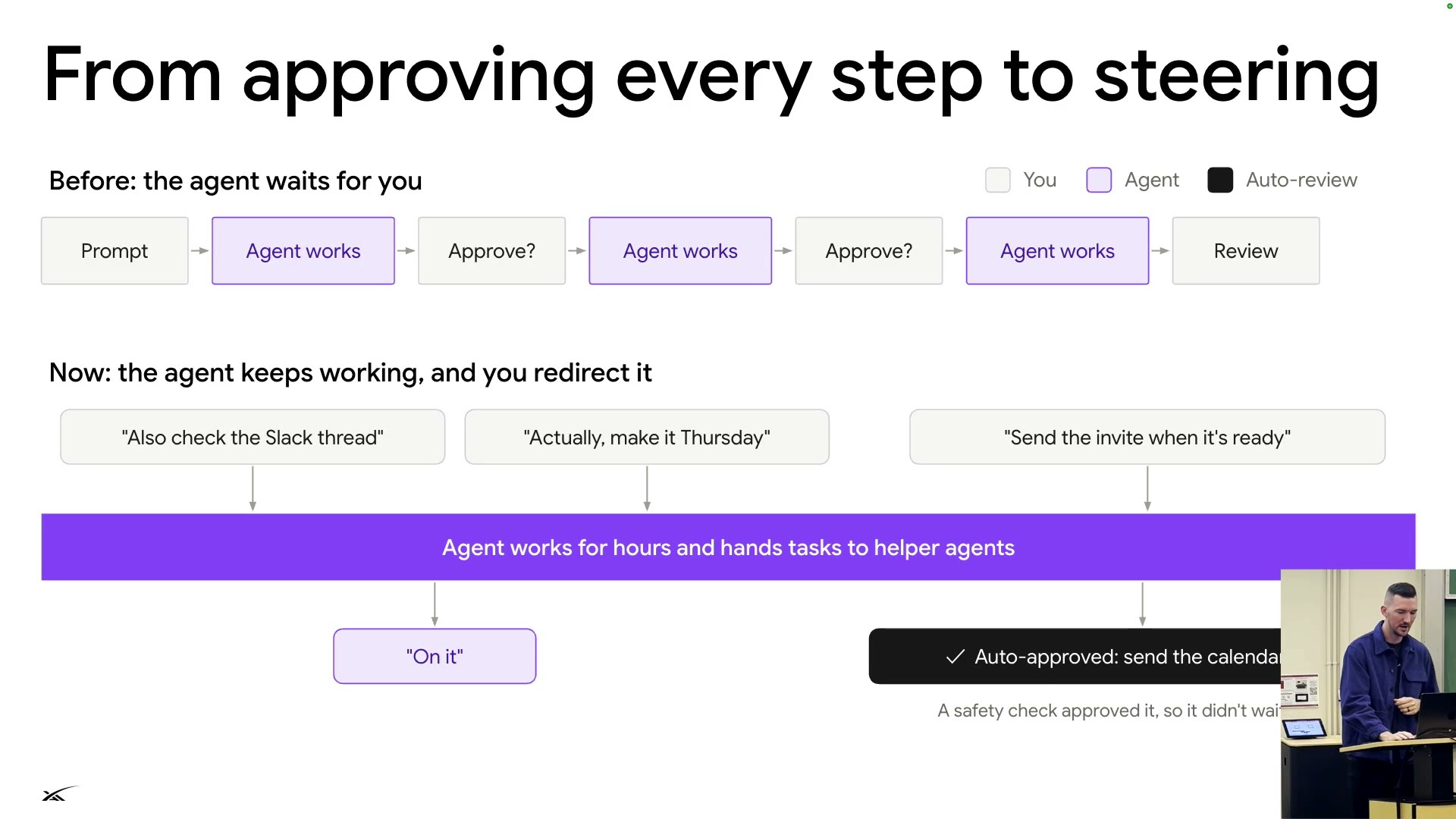
From approving to steering
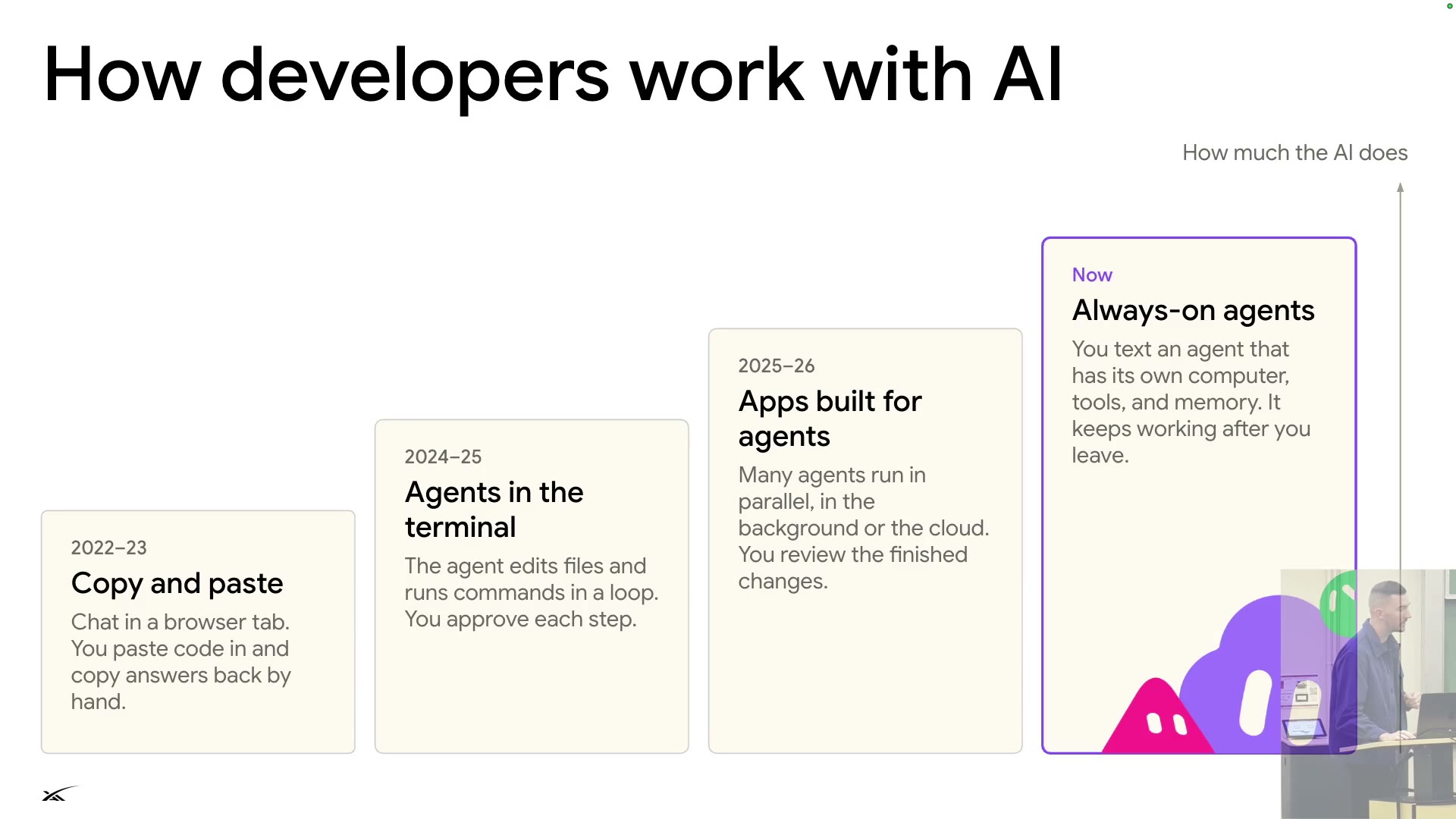
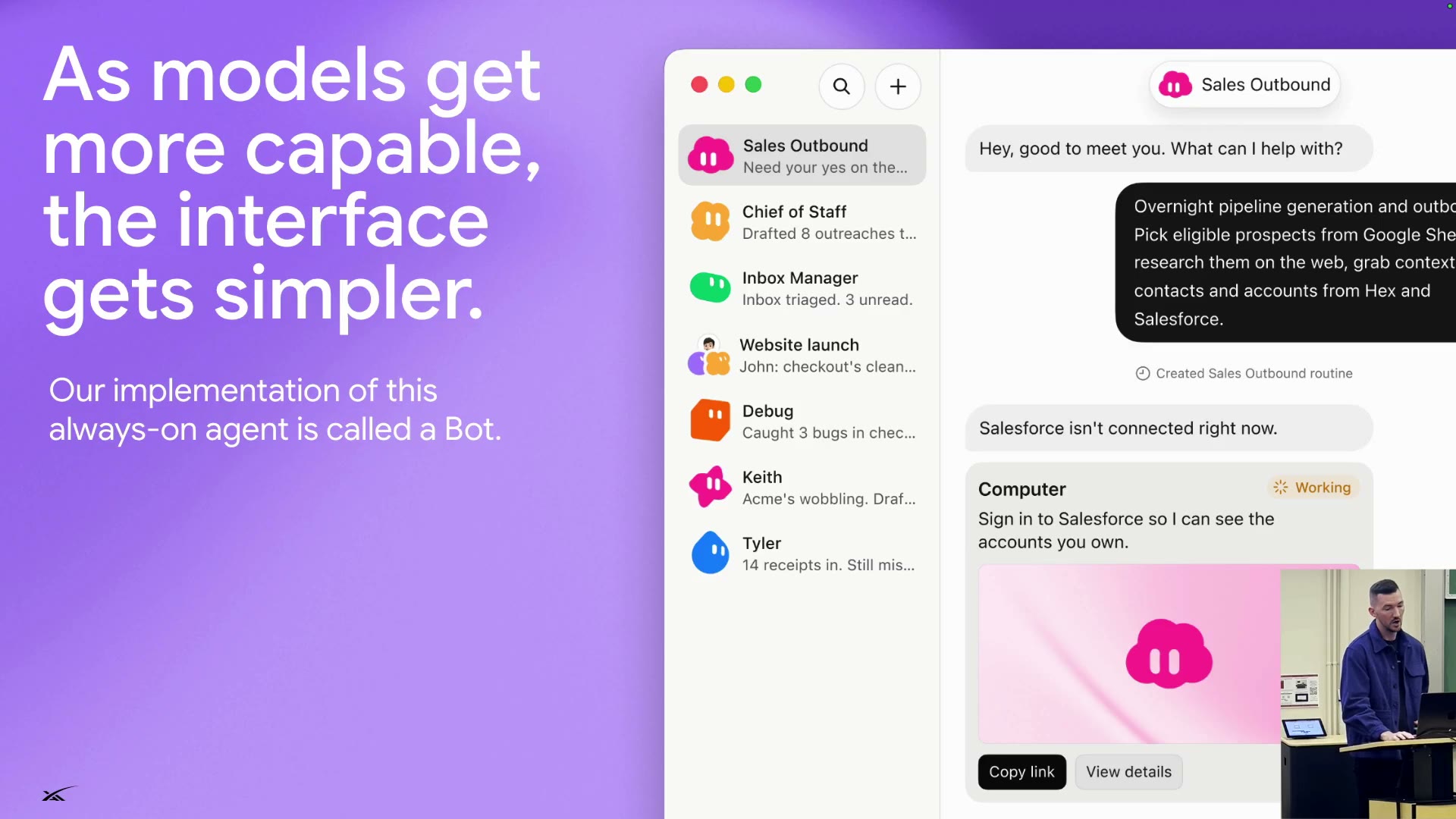
AI does more; humans shift from approving each step to steering anytime. The interface: as simple as texting.
2022–23Copy and pasteChat in a browser tab; move code by hand.
2024–25Agents in the terminalIt edits files and runs commands; you approve each step.
2025–26Apps built for agentsMany agents run in parallel, in the background or cloud; you review results.
Nowalways-onYou text an agent with its own computer, tools, and memory; it keeps working.
The higher the step, the more the AI does.
Before: every step stops at "Approve?" and waits.
Now: interjections ("Also check the Slack thread", "Actually, make it Thursday") join one workflow; auto-review approves the calendar invite◐.
- Their implementation: Bot (S08). Bots left (Sales Outbound, Inbox Manager...), chat right; lacking a Salesforce login, it asks you to sign in on its computer.
- Many companies call "a separate model reviews every command" auto review. The speaker: safer than a tired human approving hundreds; a blind test would likely favor the model.
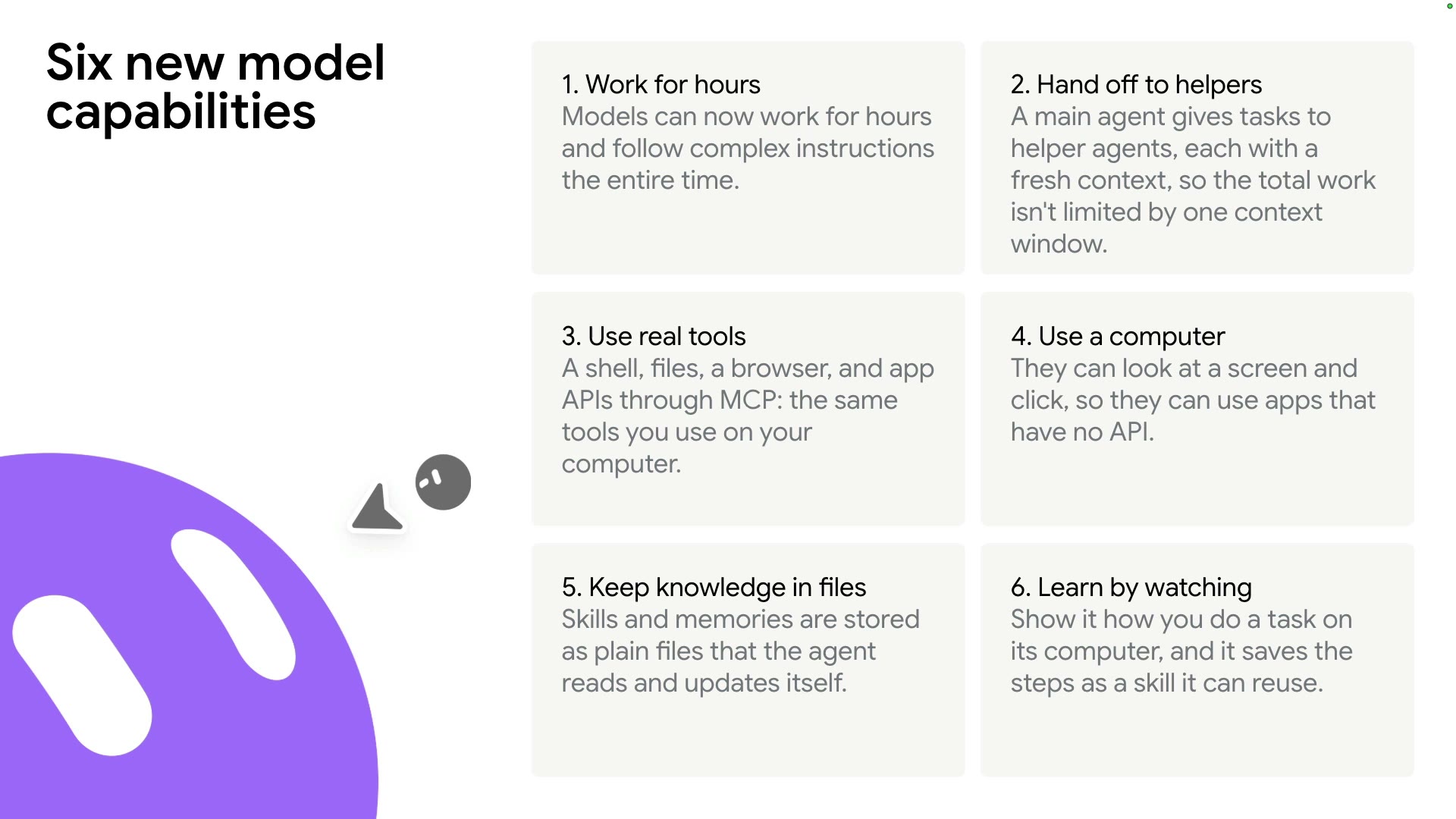
Six new model capabilities
What changed in the models
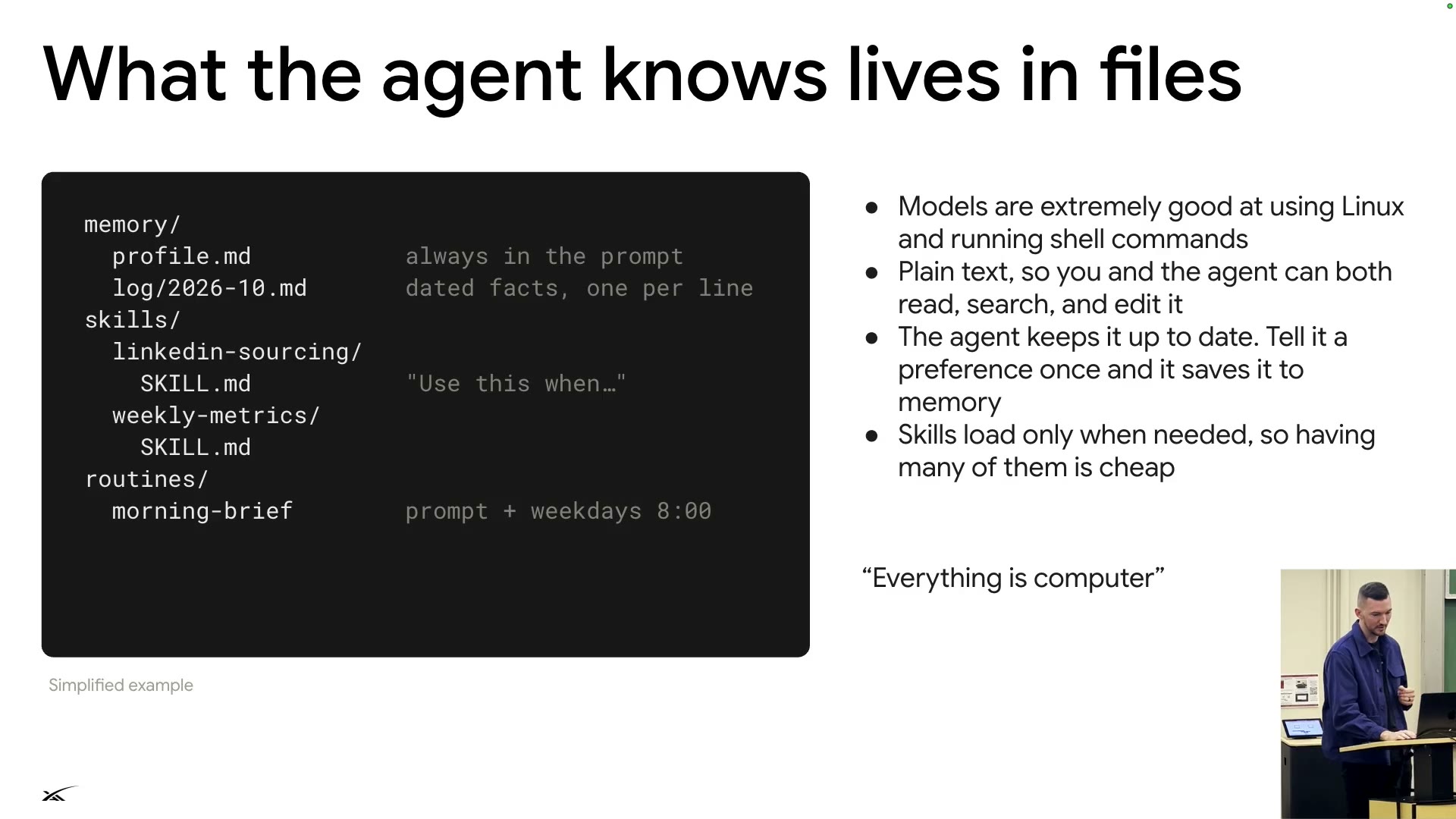
Knowledge lives in files
Six new model capabilities enable always-on. Knowledge sits in plain files; as the slide says, "Everything is computer".
Six capabilitiesS10
- Work for hours, following instructions throughout.
- Hand off to helpers, each with a fresh context.
- Use real tools: shell, files, browser, MCP.
- Use a computer, even apps with no API.
- Keep knowledge in files.
- Learn by watching: show it once, it saves a skill.
memory/profile.mdAlways in the prompt.memory/log/2026-10.mdDated facts, one per line.skills/*/SKILL.mdLoaded only when needed ("Use this when...").routines/morning-briefA prompt that runs weekdays at 8:00.Why files
- Models are extremely good at the shell.
- Plain text both you and the agent can read and edit.
- State a preference once; it goes into memory.
- Skills load on demand, so many are cheap.
Inside an always-on agent
Lifecycle and the three-part system
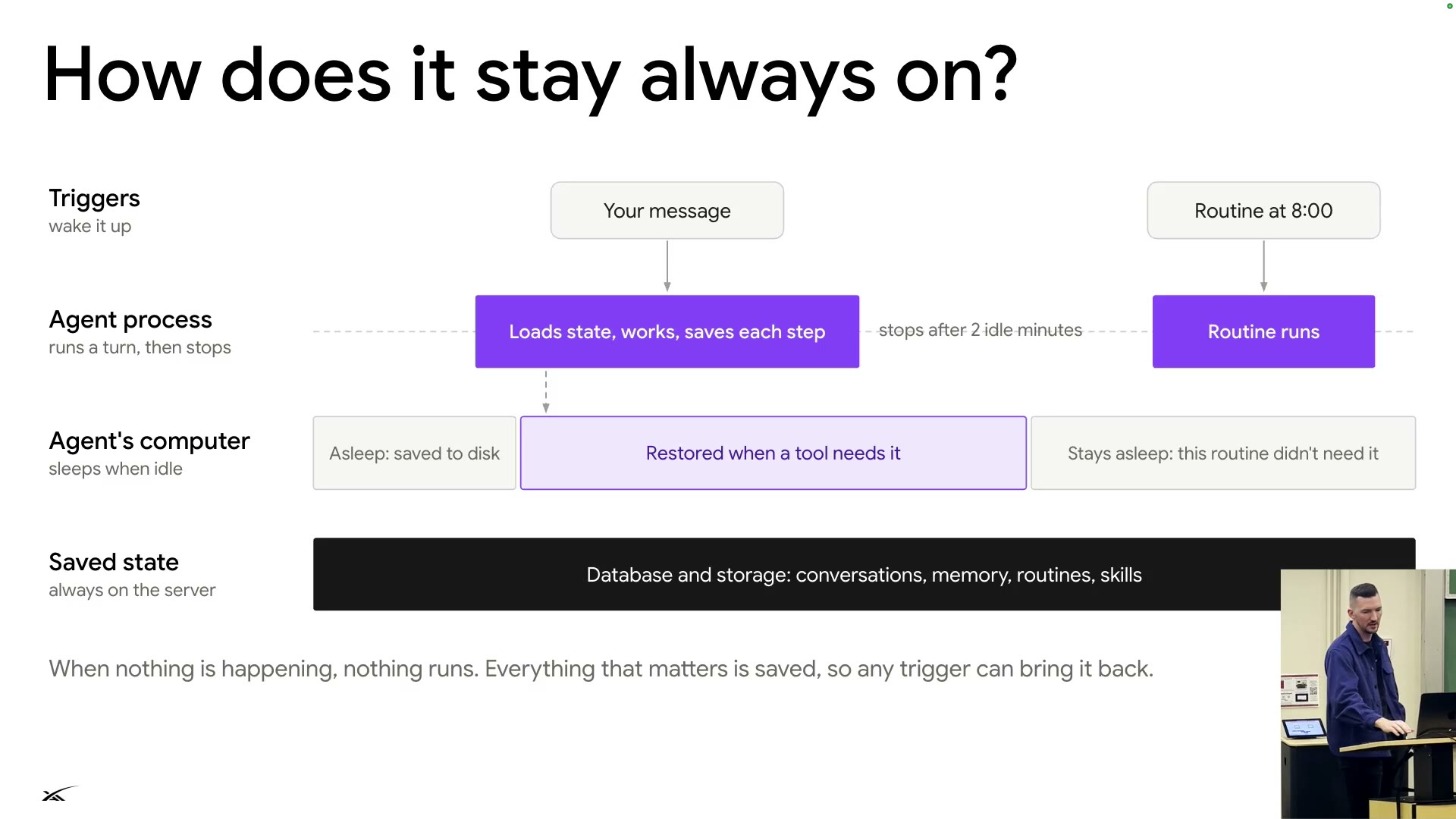
When nothing is happening, nothing runs
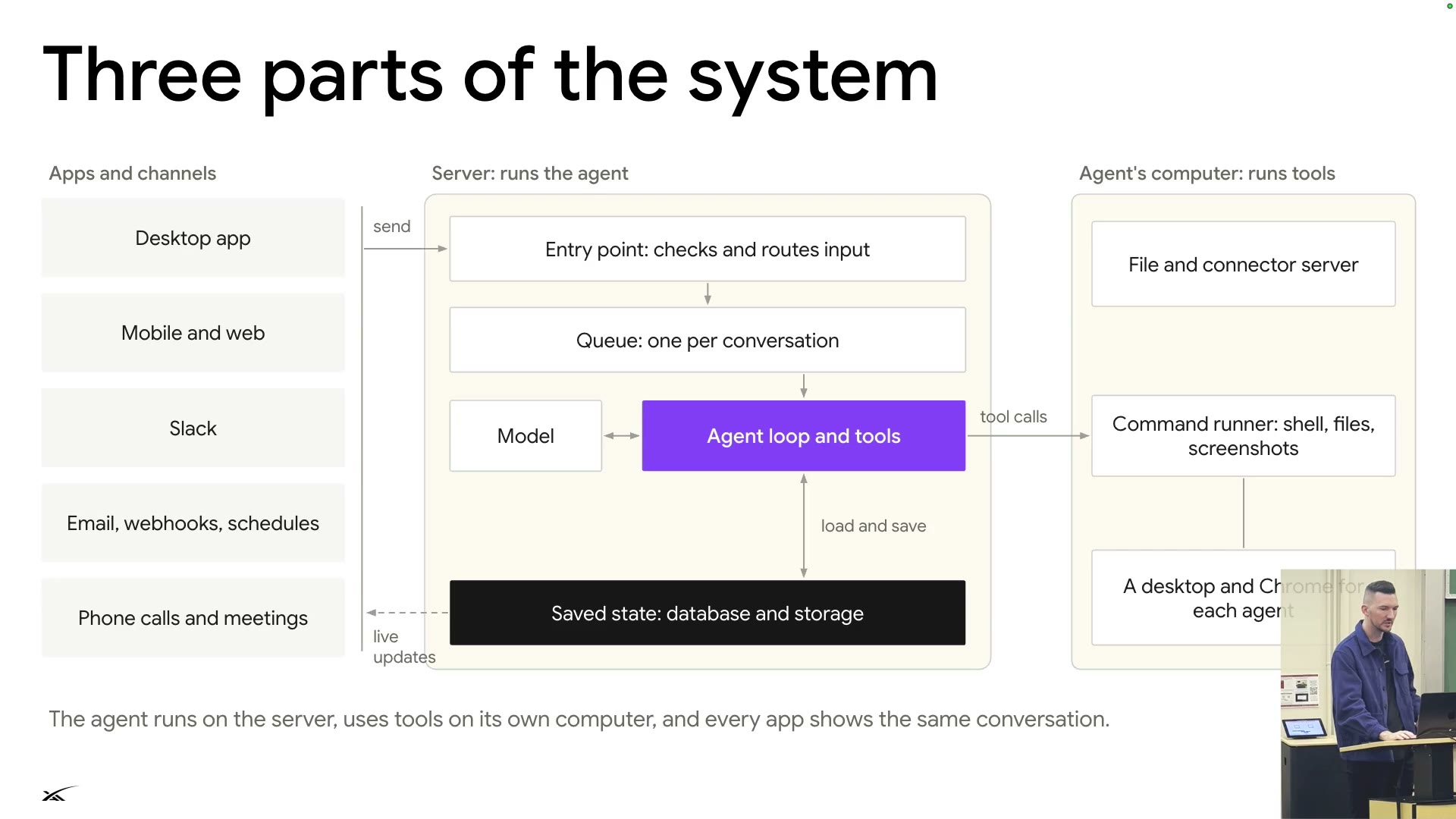
Always-on doesn't mean always running: when nothing happens, nothing runs; everything is saved, so any trigger brings it back.
- The computer never sleeps mid-turn.
- If a routine doesn't need the computer, it stays asleep.
- No tool calls while the process isn't running.
- t0—
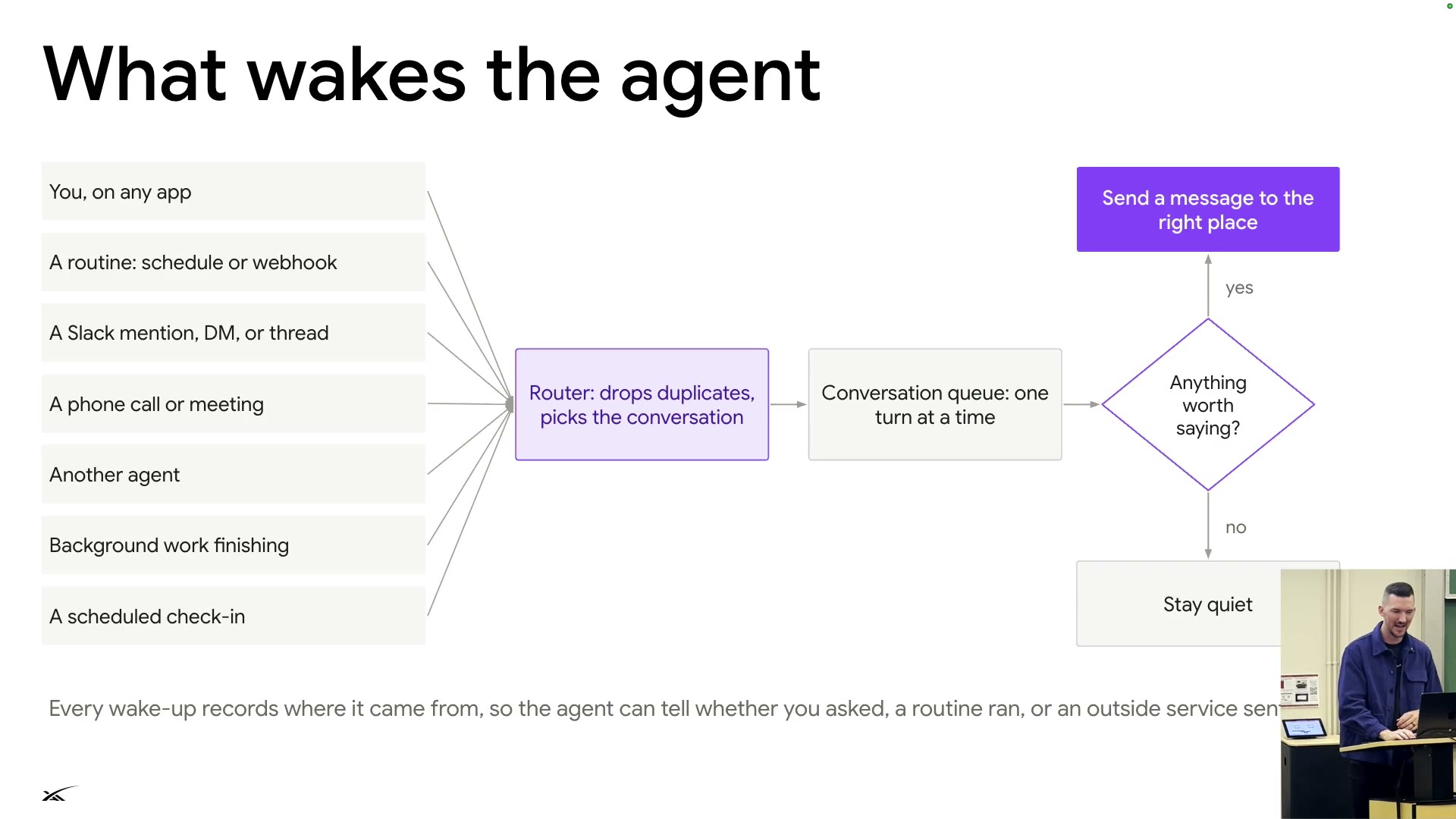
Every wake-up records where it came from◐ —
Conclusion: every app shows the same conversation.
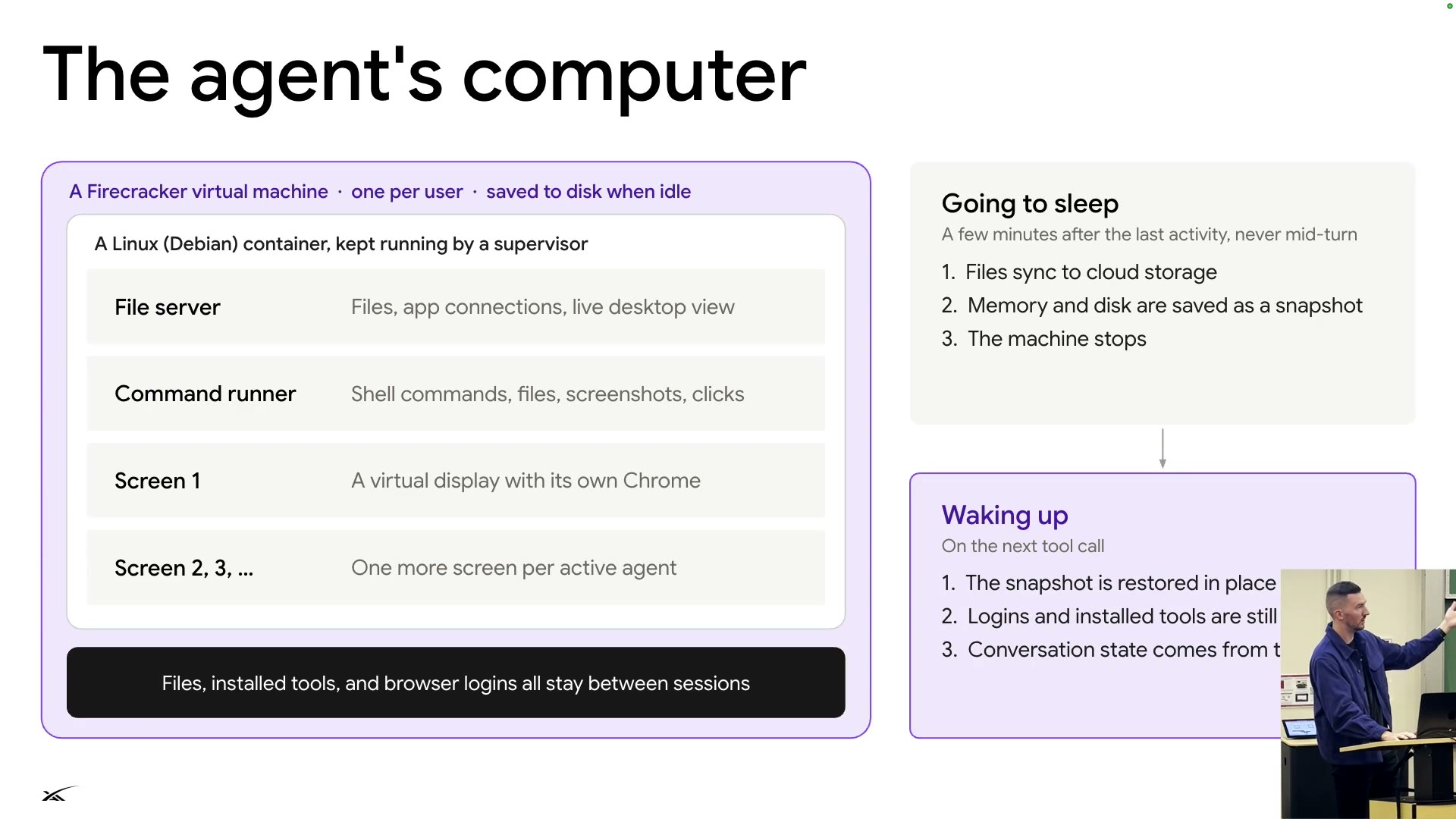
- Cloud computer (S15): one Firecracker VM per user; Debian container kept alive by a supervisor. Files, installed tools, browser logins persist across sessions.
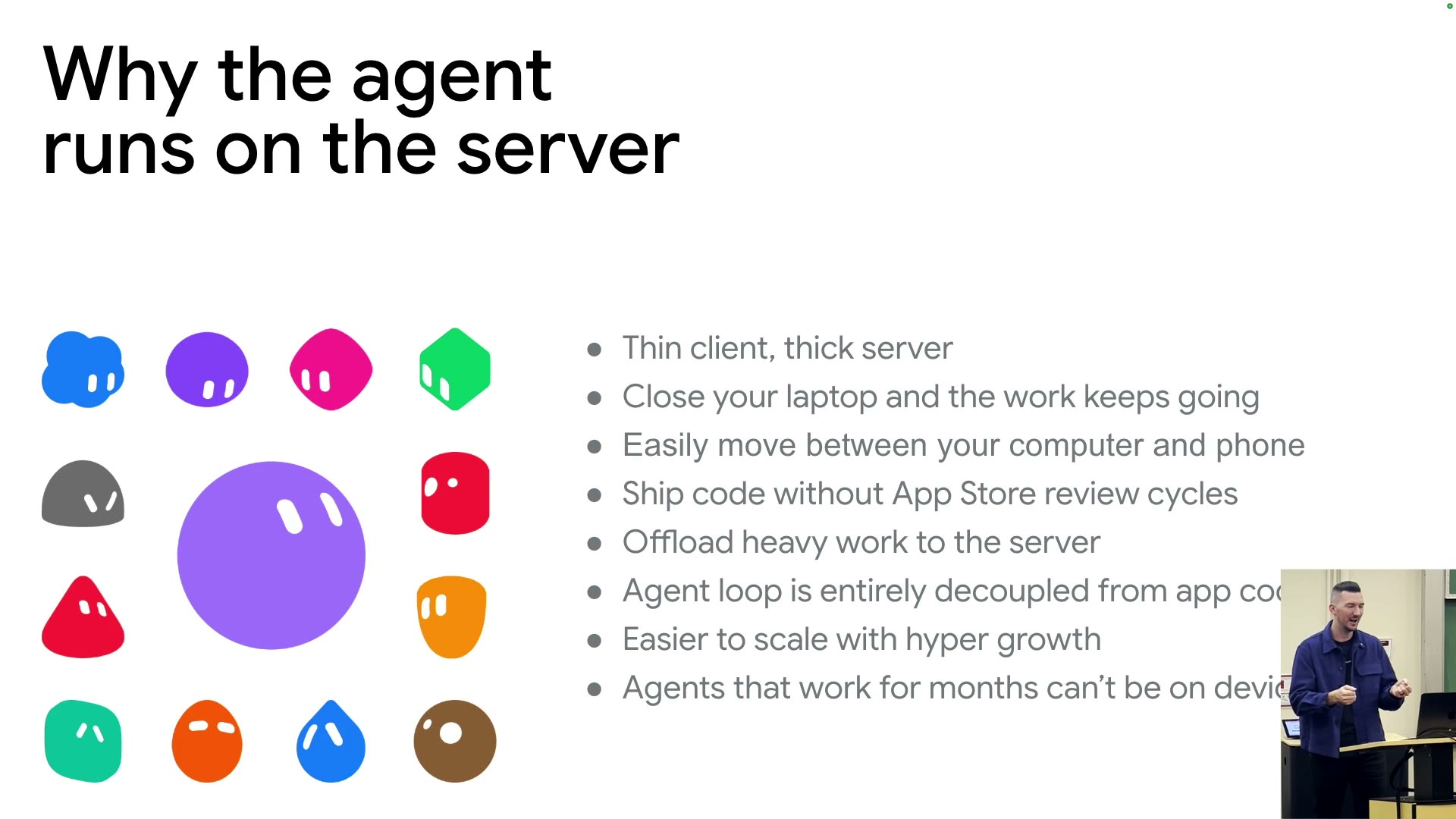
- Why the loop runs on the server (S17): laptop closed, work continues; seamless computer–phone switching; no App Store review cycles; months-long agents can't live on devices◐.
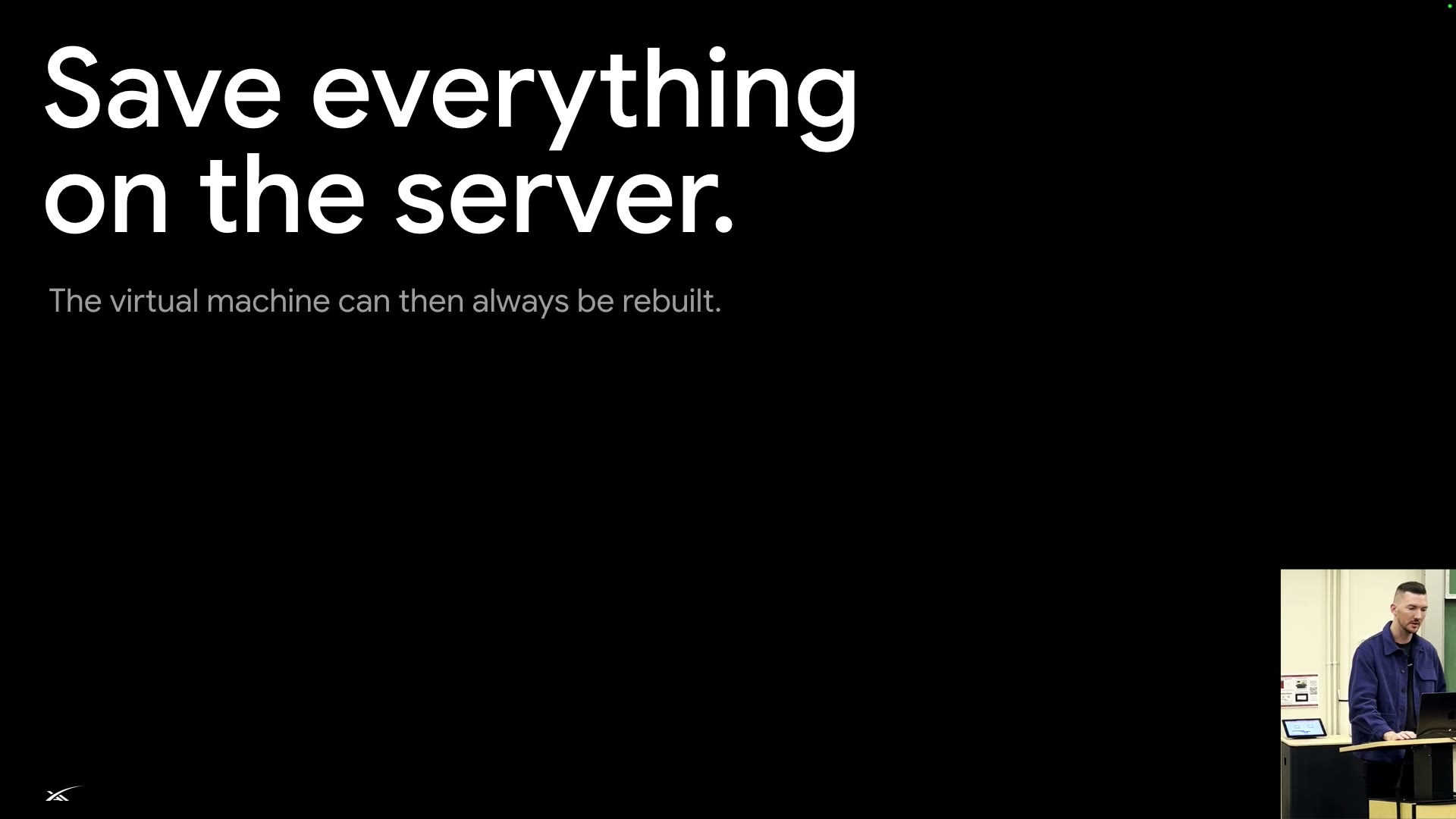
- Key point (S18): state lives on the server, so the VM can be rebuilt anytime (e.g. for a Linux 0-day) without stopping the loop.
- Everyone's computer always on would cost too much; "there's not enough computers in the world". At SpaceX, people often send bots to take meeting notes.
Messages, crashes and the queue
Reliability
Messages, crashes, and cutting the line
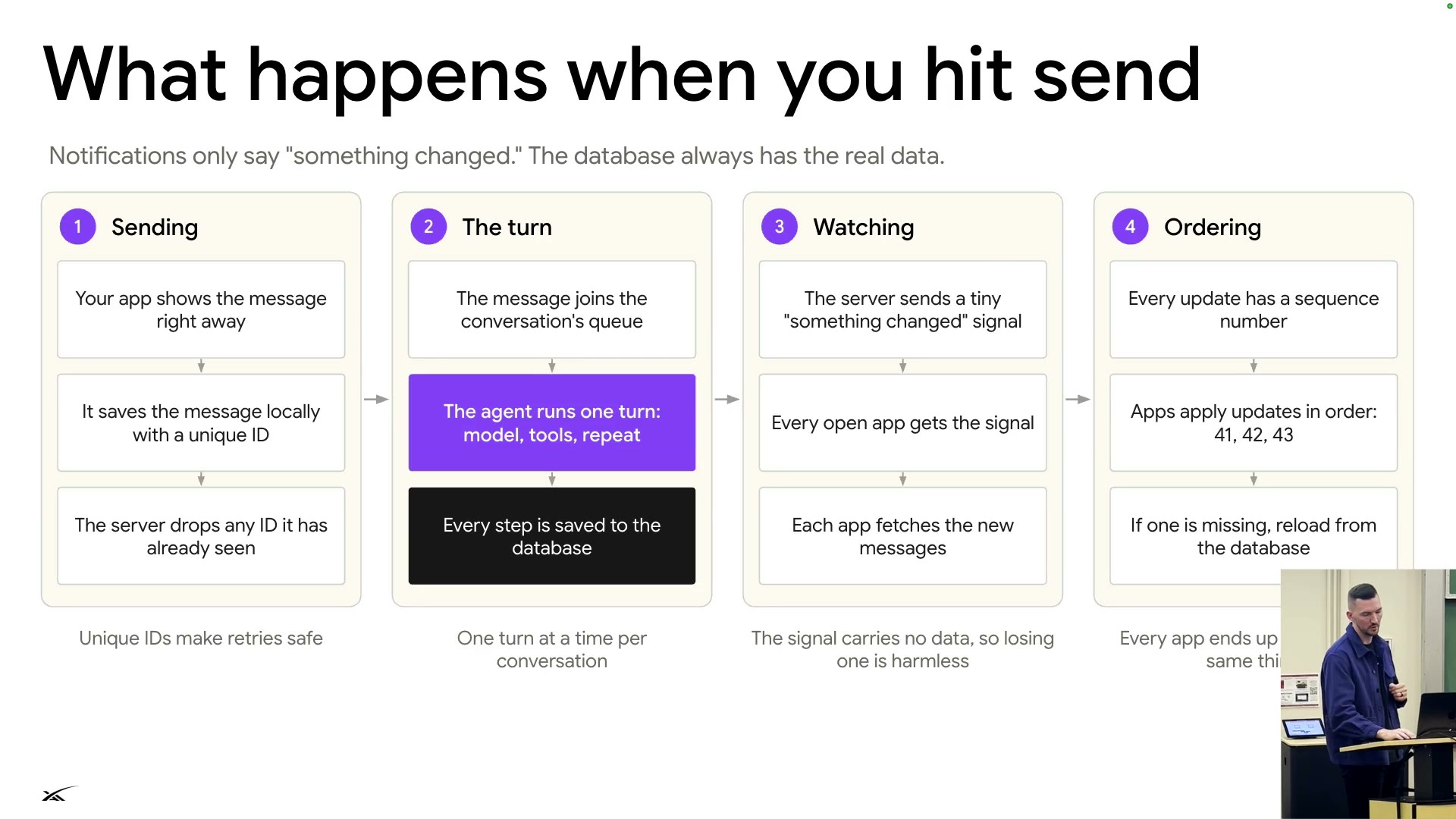
Reliability rests on three things: unique IDs and sequence numbers on messages, a durable workflow per turn, a priority queue for new messages.
What happens when you hit sendS19
- Sending: shown locally at once with a unique ID; the server drops repeated IDs, so retries are safe.
- The turn: joins the queue; one turn at a time per conversation; every step saved to the database.
- Watching: the server sends only a "something changed" signal; apps fetch the data, so a lost signal is harmless.
- Ordering: every update has a sequence number (41, 42, 43); gaps reload from the database◐.
Repeated steps:0 / 0
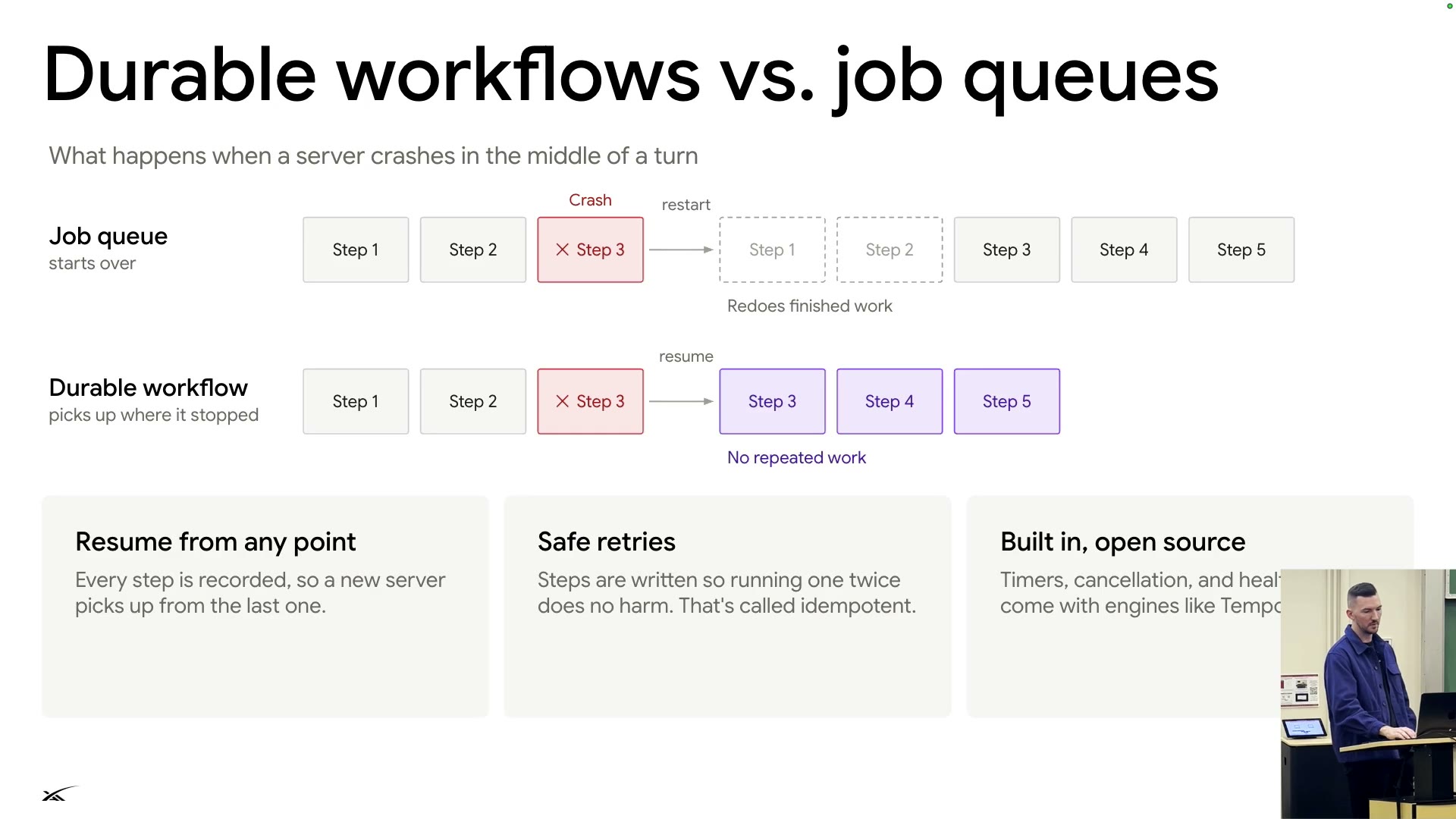
Note: steps are recorded and idempotent (running twice is harmless); open-source engines like Temporal include timers and cancellation◐.
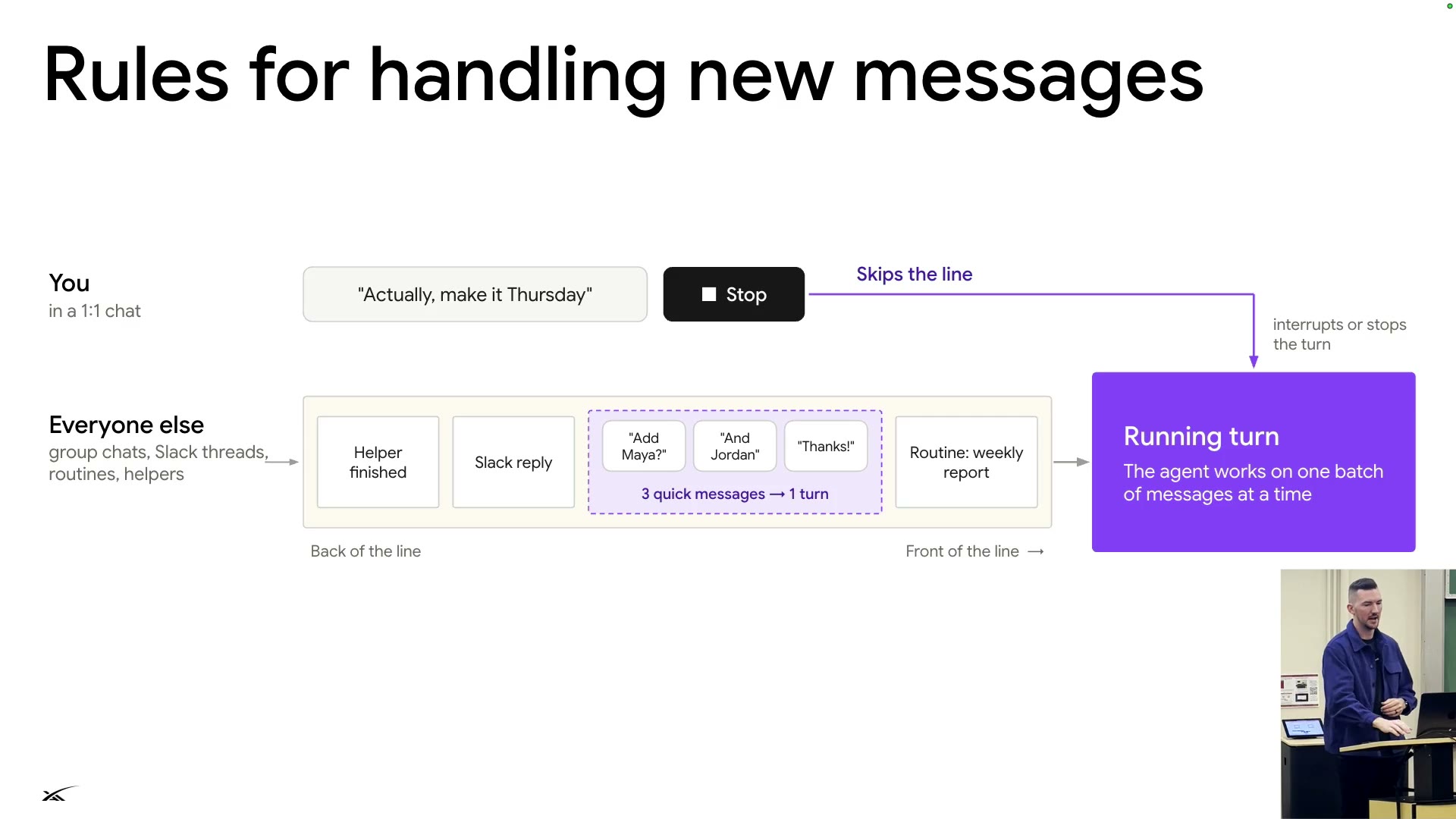
In a 1:1 chat, "Make it Thursday" or Stop skips the line and interrupts the running turn.
Group chats, Slack, routines, helpers: back of the line; 3 quick messages merge into 1 turn.
One tool for talking to you
Harness ①: a single conversation tool
SendToUser
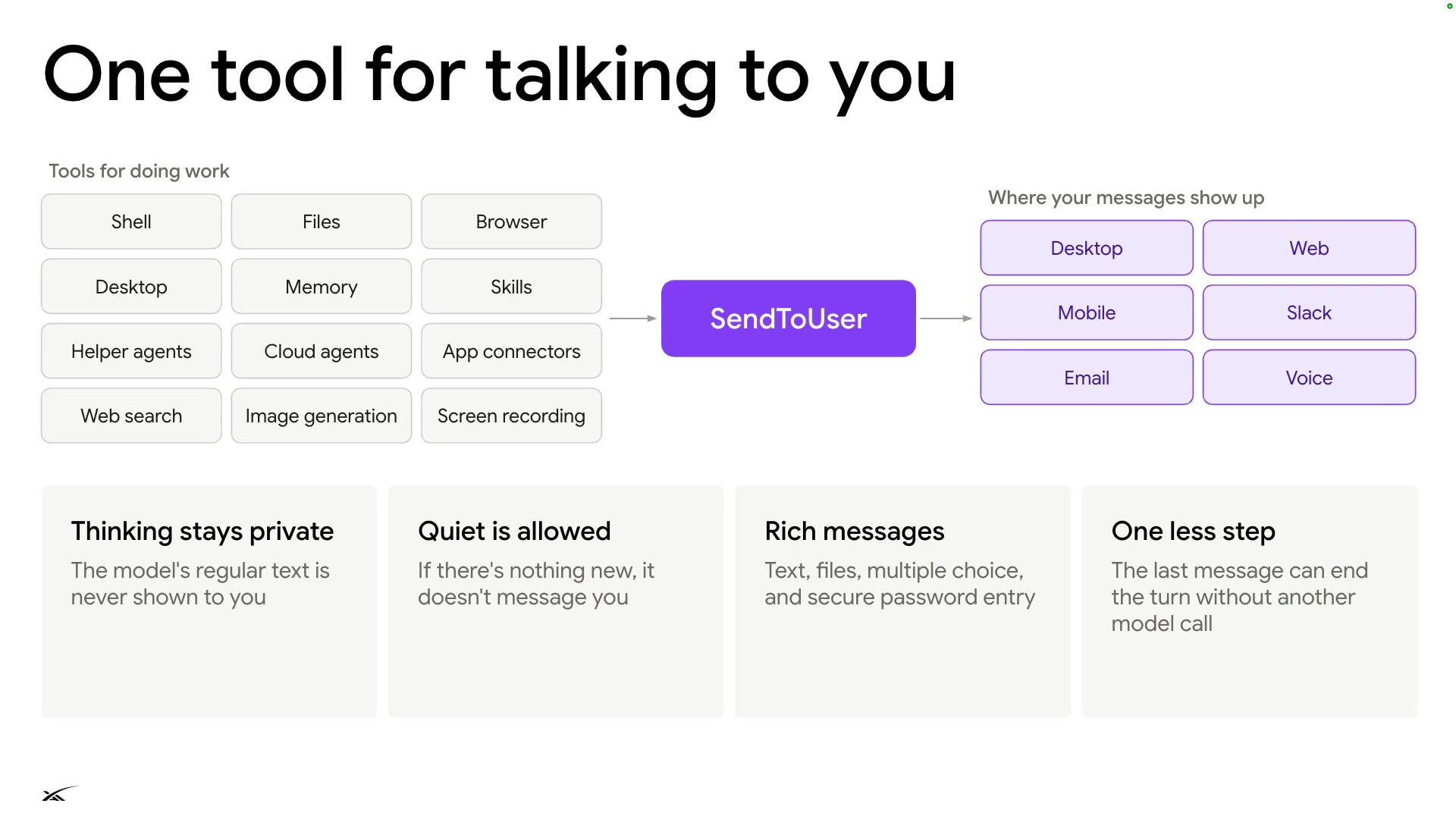
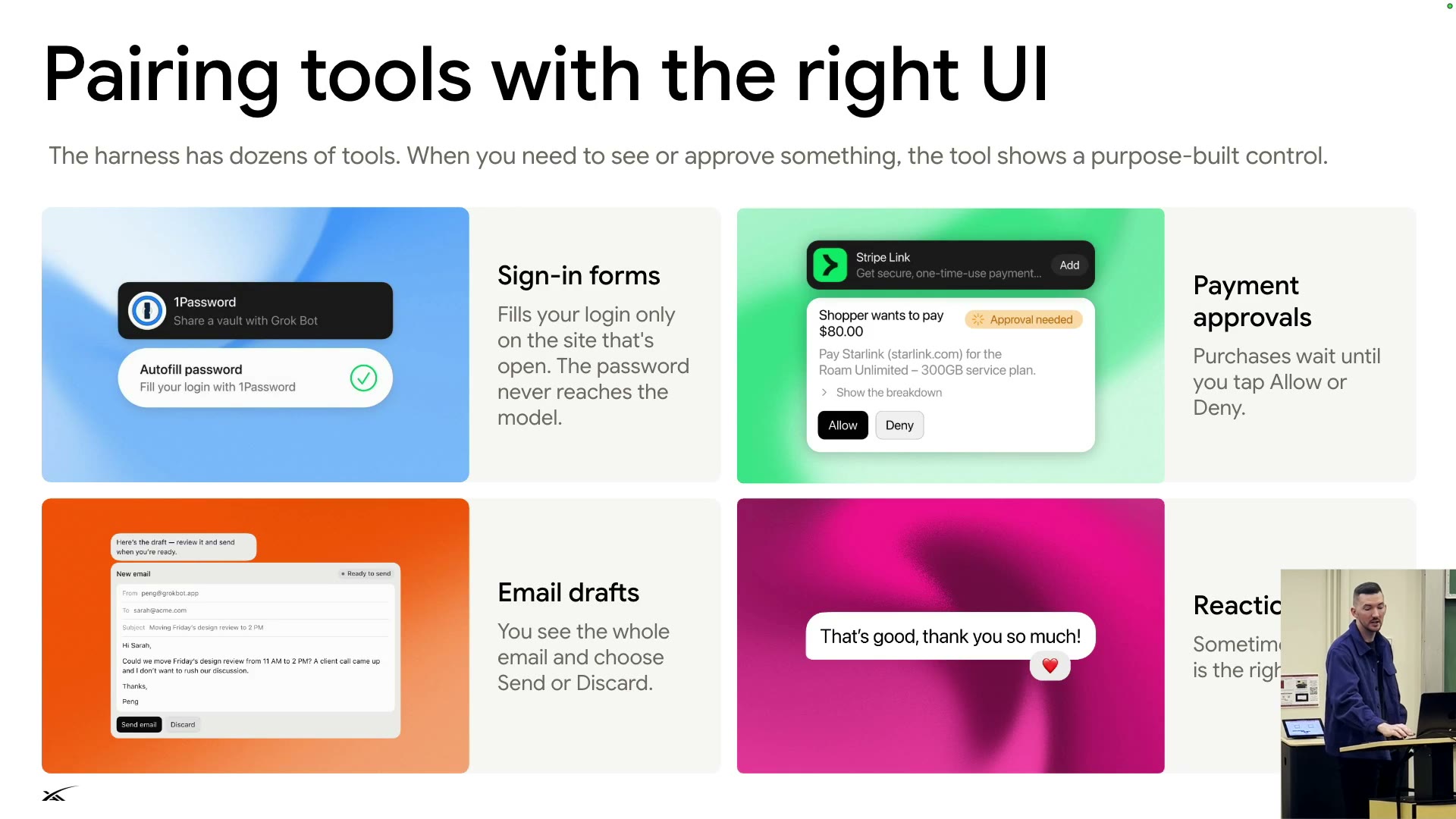
The agent talks to you through one tool, SendToUser; anything needing your OK gets a purpose-built UI control.
- Thinking stays private.
- Nothing new, no message.
- Rich messages: files, multiple choice, secure password entry.
- The last message ends the turn.
Sign-in
1Password fills the form; the password never reaches the model.
Payment
Waits until you tap Allow or Deny.
Email draft
You choose Send or Discard.
Reaction◐
- The speaker: the biggest difference from the week-one harness (maybe also similar products) is this single tool between client and server.
Tools and helpers
Harness ②: tools and helpers
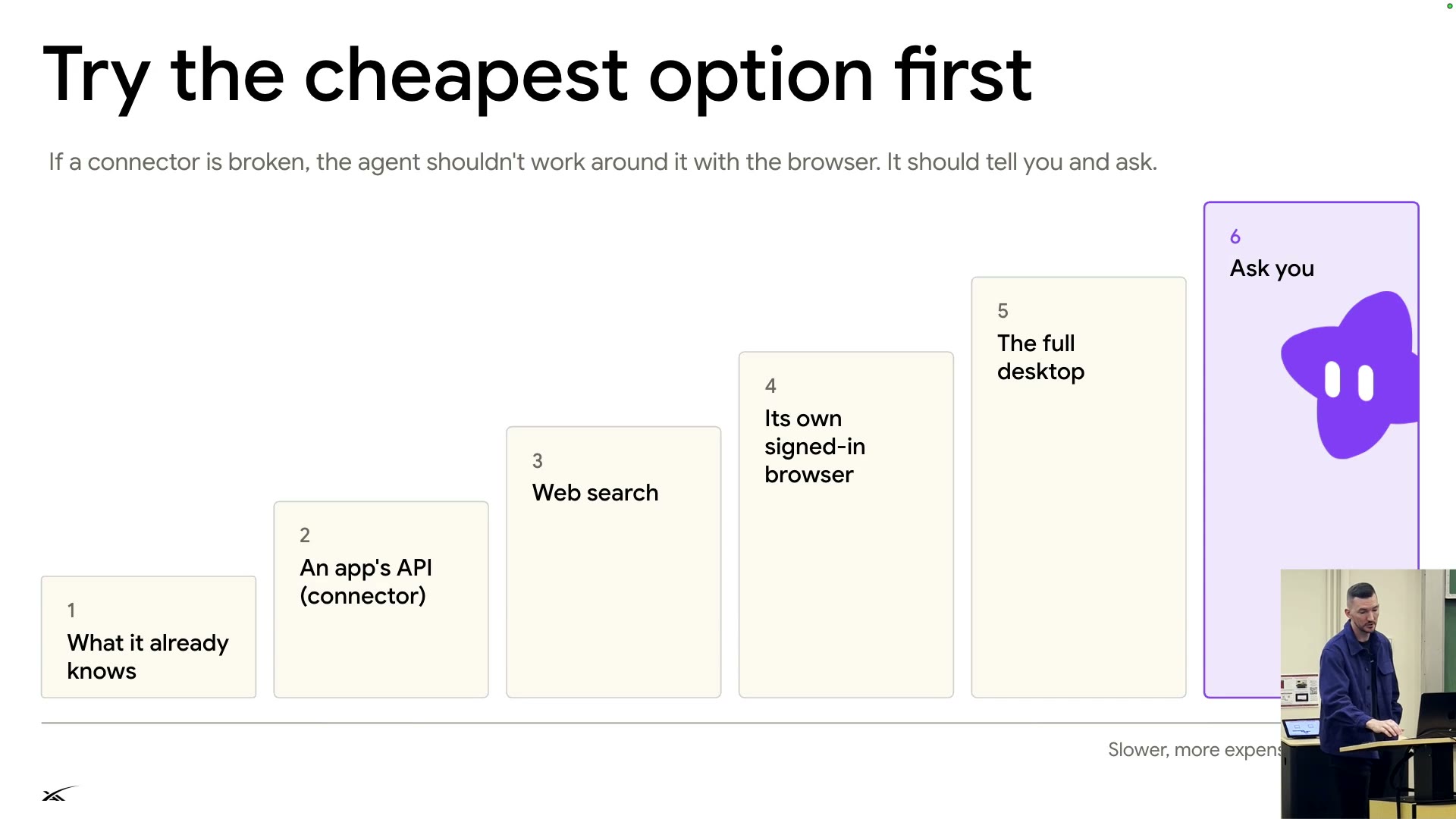
Try the cheapest option first
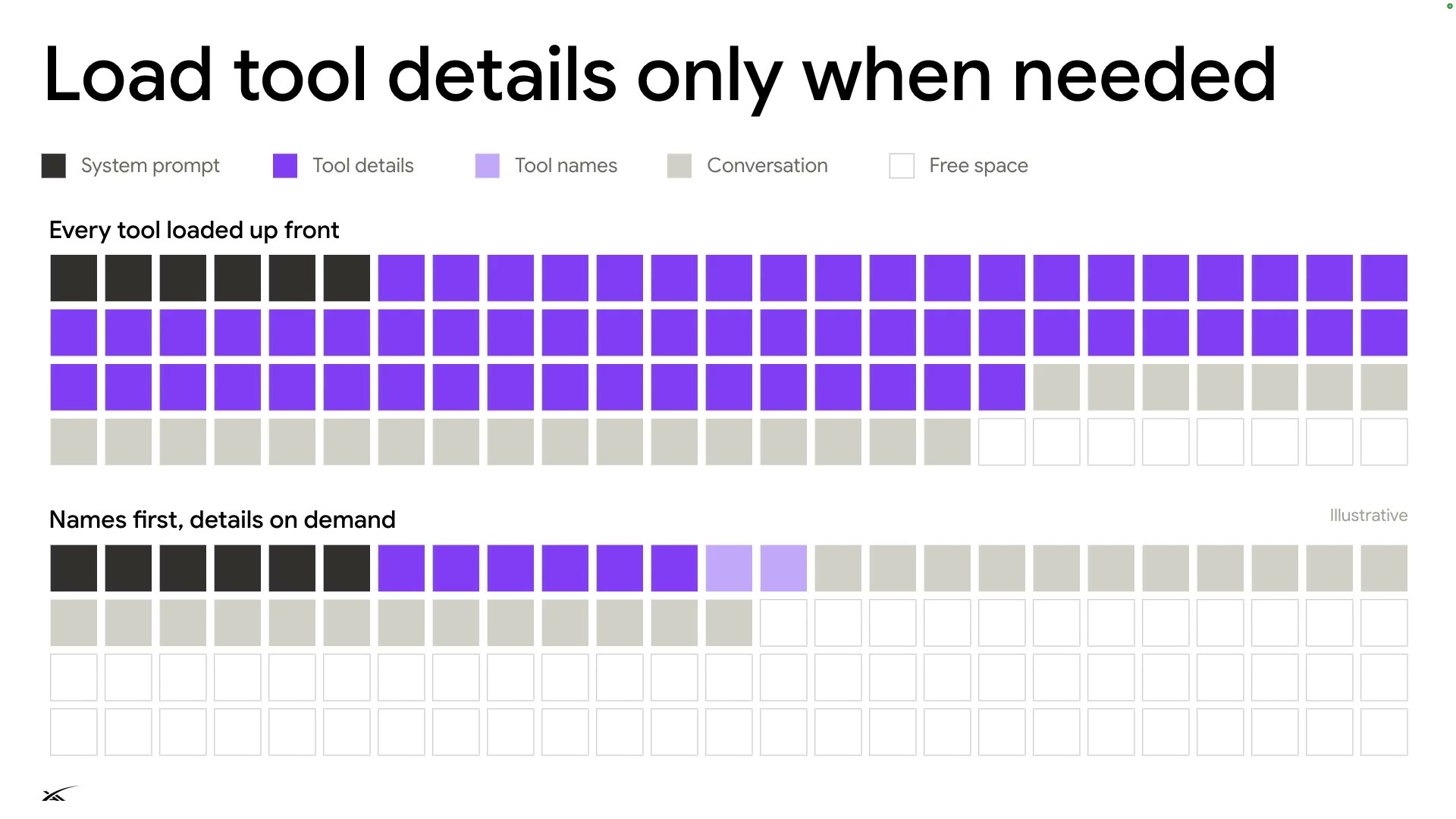
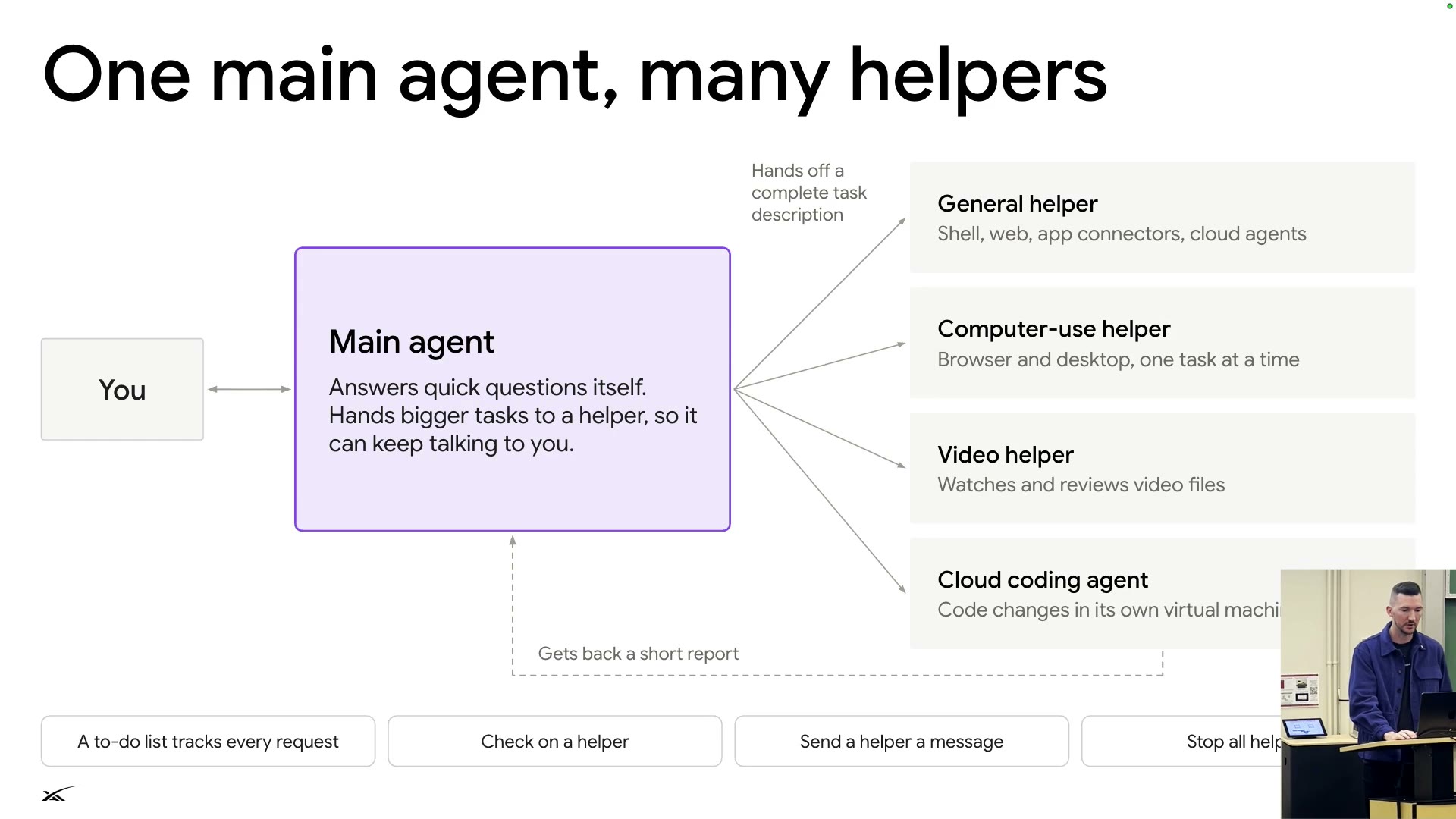
Tools start as names; information sources escalate by cost; helpers do heavy work and report back briefly.
Tool details 62 · free 8
Tools 8 (details 6, names 2) · free 62
System promptTool detailsTool namesConversationFree space
1 cell = 1%, per the slide's illustrative proportions. Also called dynamic tool discovery / tool search tool.
Slower, more expensive◐
Rule: connector broken → don't work around it with the browser; tell you.
The main agent answers quick questions, hands off big tasks, gets a short report back.
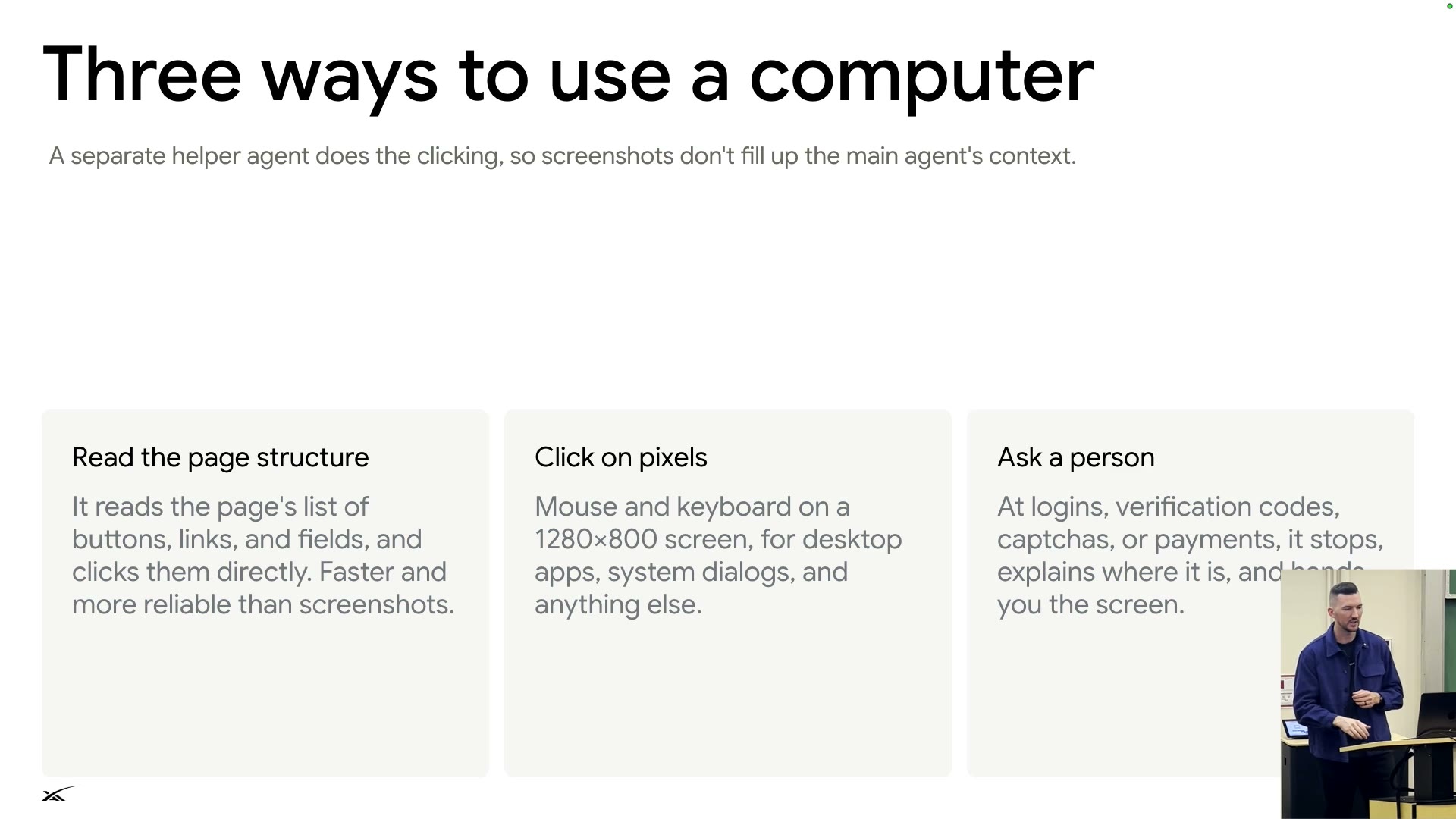
Three ways to use a computerS27
- Read the page structure: list buttons and links; fast and reliable.
- Click on pixels: a 1280×800 screen, for desktop apps and system dialogs.
- Ask a person: hand over at logins, two-factor codes, captchas, payments.
- A helper does the clicking, keeping screenshots out of the main context.
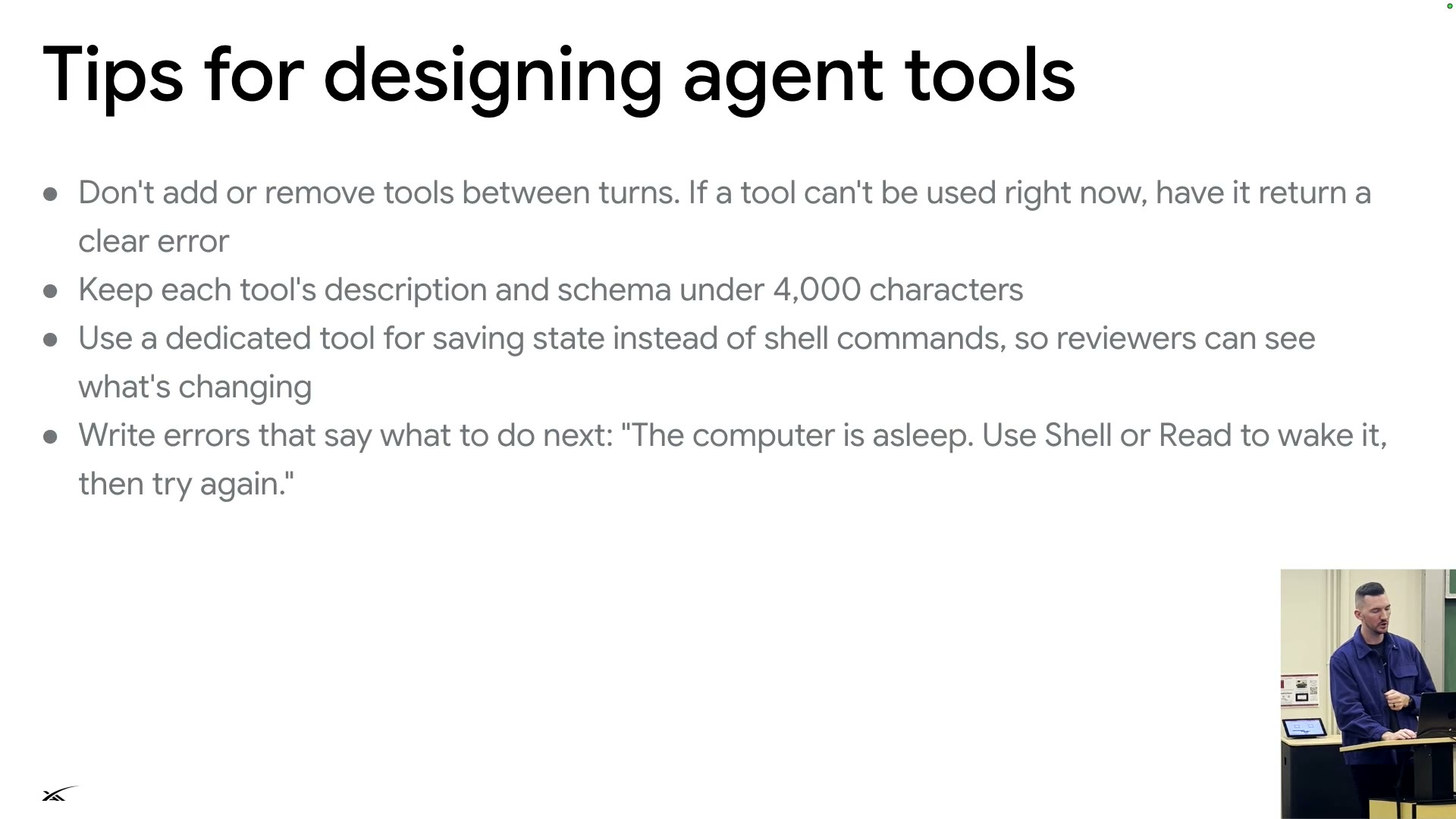
4 tips for tool designS29
- Don't add or remove tools between turns.
- Keep each tool's description and schema under 4,000 characters.
- Save state with a dedicated tool, so it can be reviewed.
- Errors say what to do next: "The computer is asleep. Use Shell or Read to wake it, then try again."
- Each helper is a durable workflow that survives crashes, so the product "feels like it has infinite context".
How we keep it safe
Safety
Four defenses
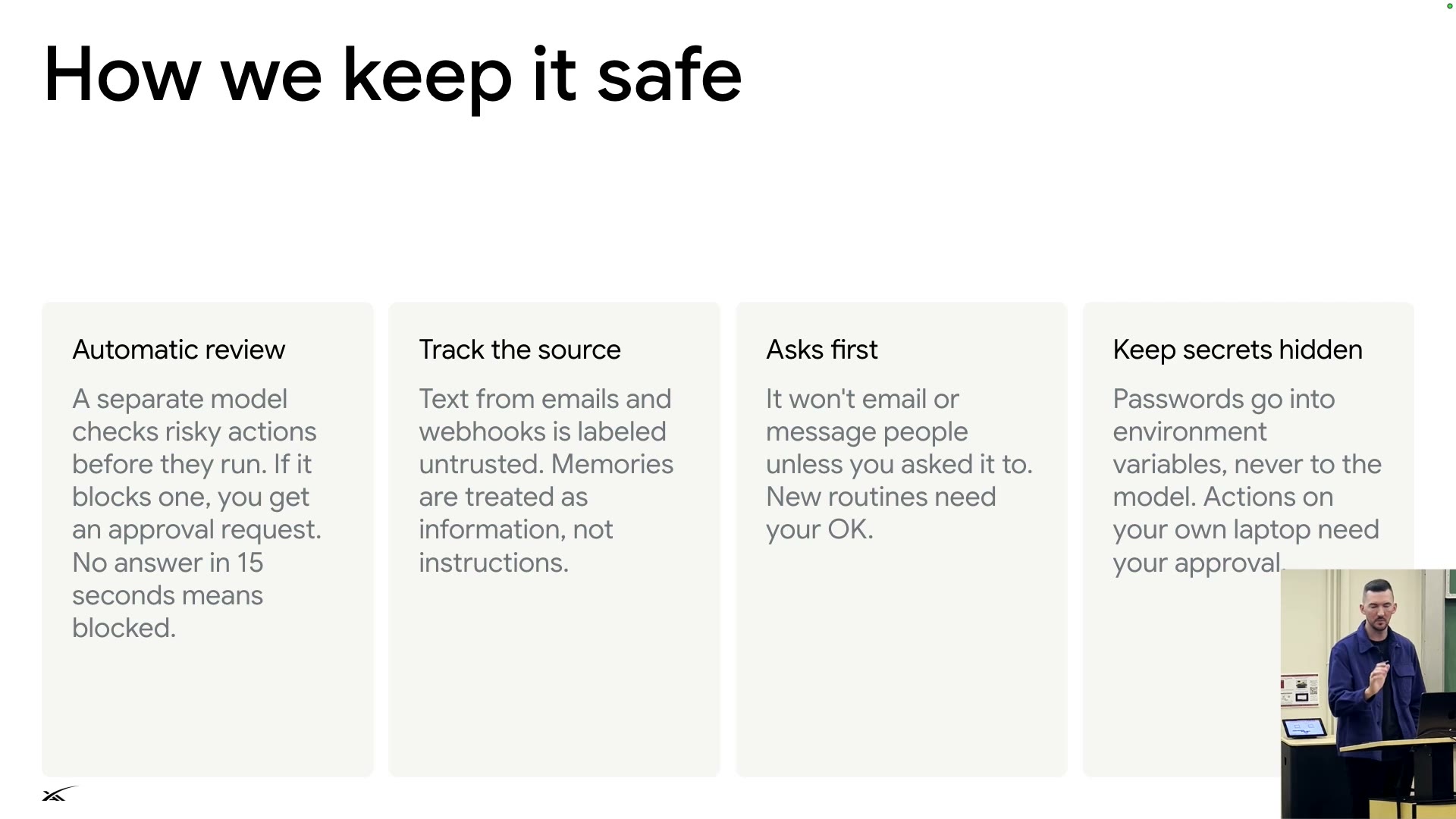
Four defenses: model review, source labels, ask before sending, secrets kept apart.
| Defense | Rule |
|---|---|
| Automatic review | A separate model checks risky actions first; blocked ones go to you for approval; no answer in 15 seconds keeps them blocked |
| Track the source | Email and webhook text is labeled untrusted; memories are information, not instructions |
| Asks first | No messages to others unless you asked; new routines need your OK |
| Keep secrets hidden | Passwords go into environment variables, never the model; actions on your laptop need approval |
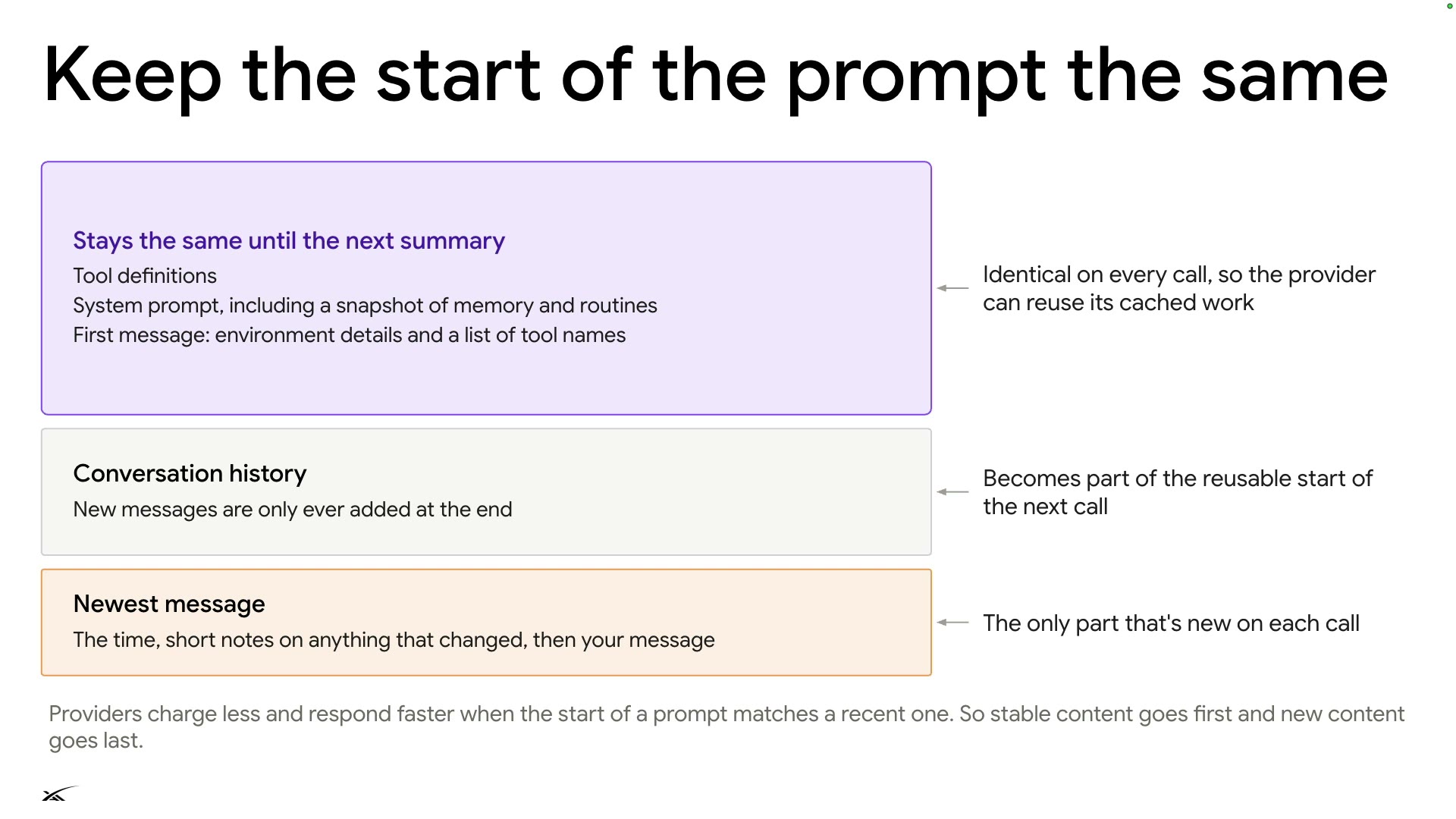
Keep the start of the prompt the same
Context engineering ①: prompt caching
A cache miss is a bug
Most tokens of a long-running agent should hit the cache: fixed prompt start, append only at the end, every cache miss treated as a bug.
Cache hitcache miss
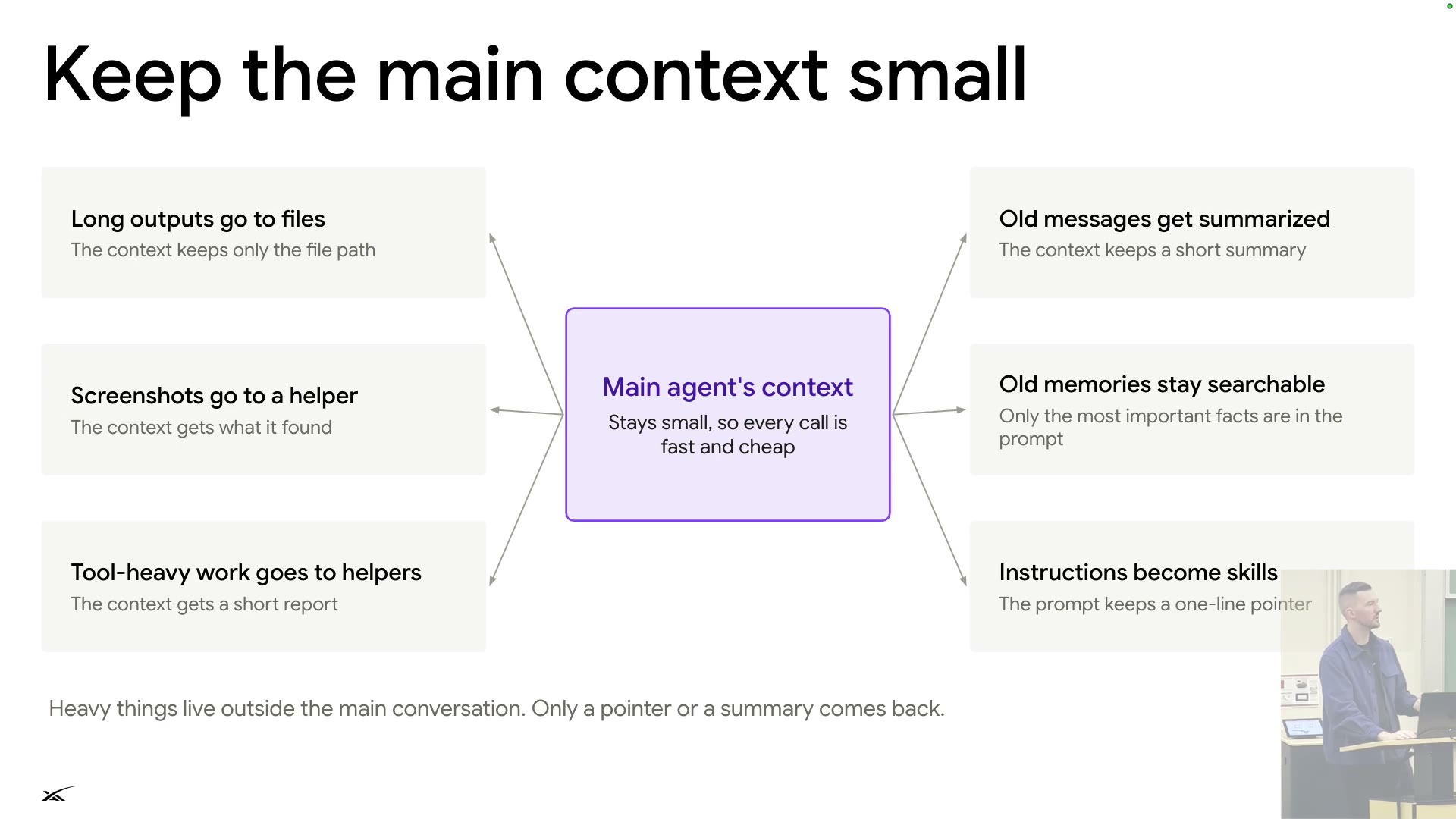
- Main context keeps only pointers or summaries (S33): long outputs to files, screenshots and heavy work to helpers, old messages to summaries, instructions to skills.
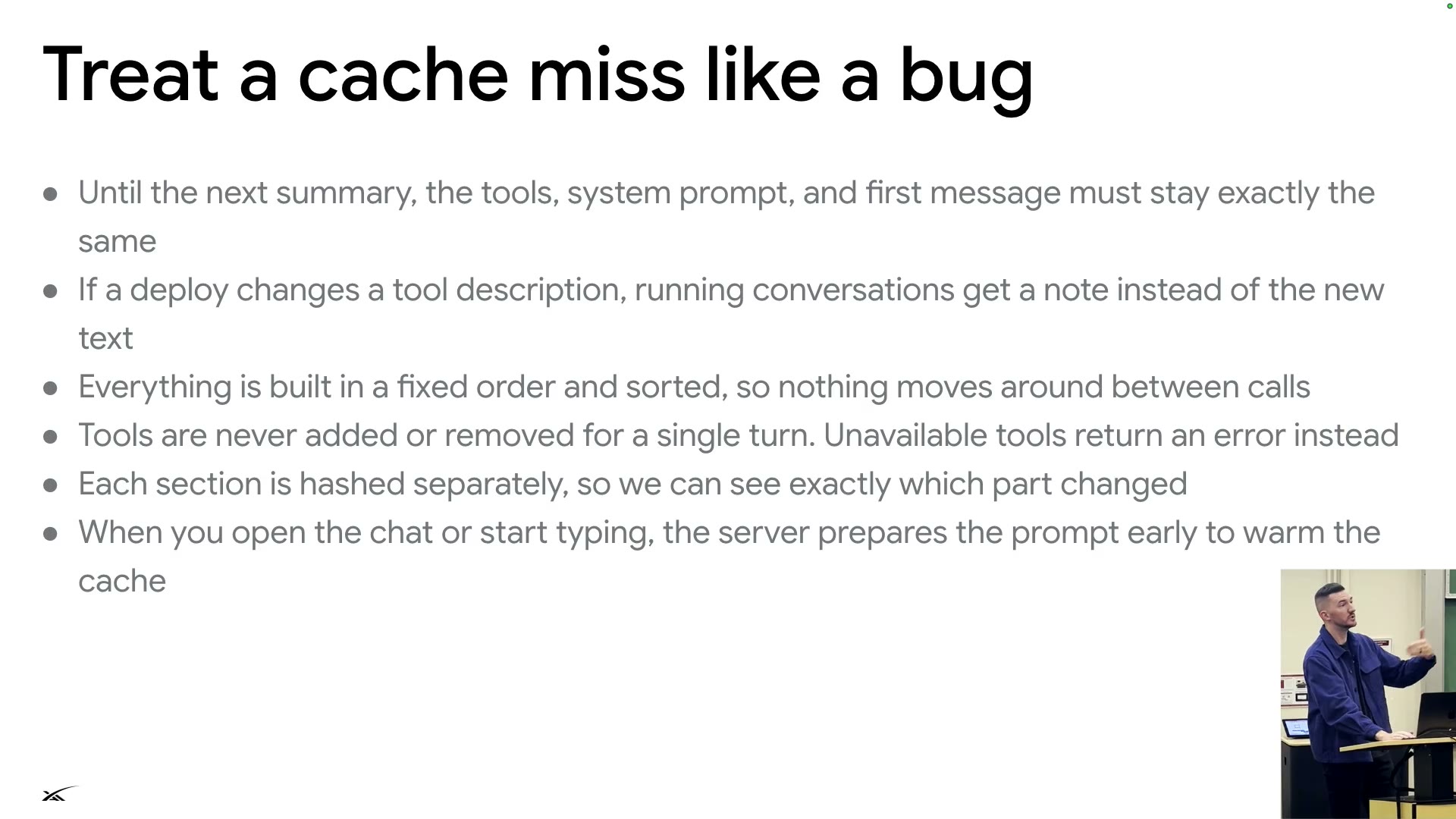
- Treat a cache miss like a bug (S34): prefix unchanged until the next summary; deploys send running conversations a note, not new tool text; fixed order; per-section hashes; cache warmed as you type.
- OpenClaw's January boom brought many cache misses and many fixes. A/B tests must not reorder the prompt either.
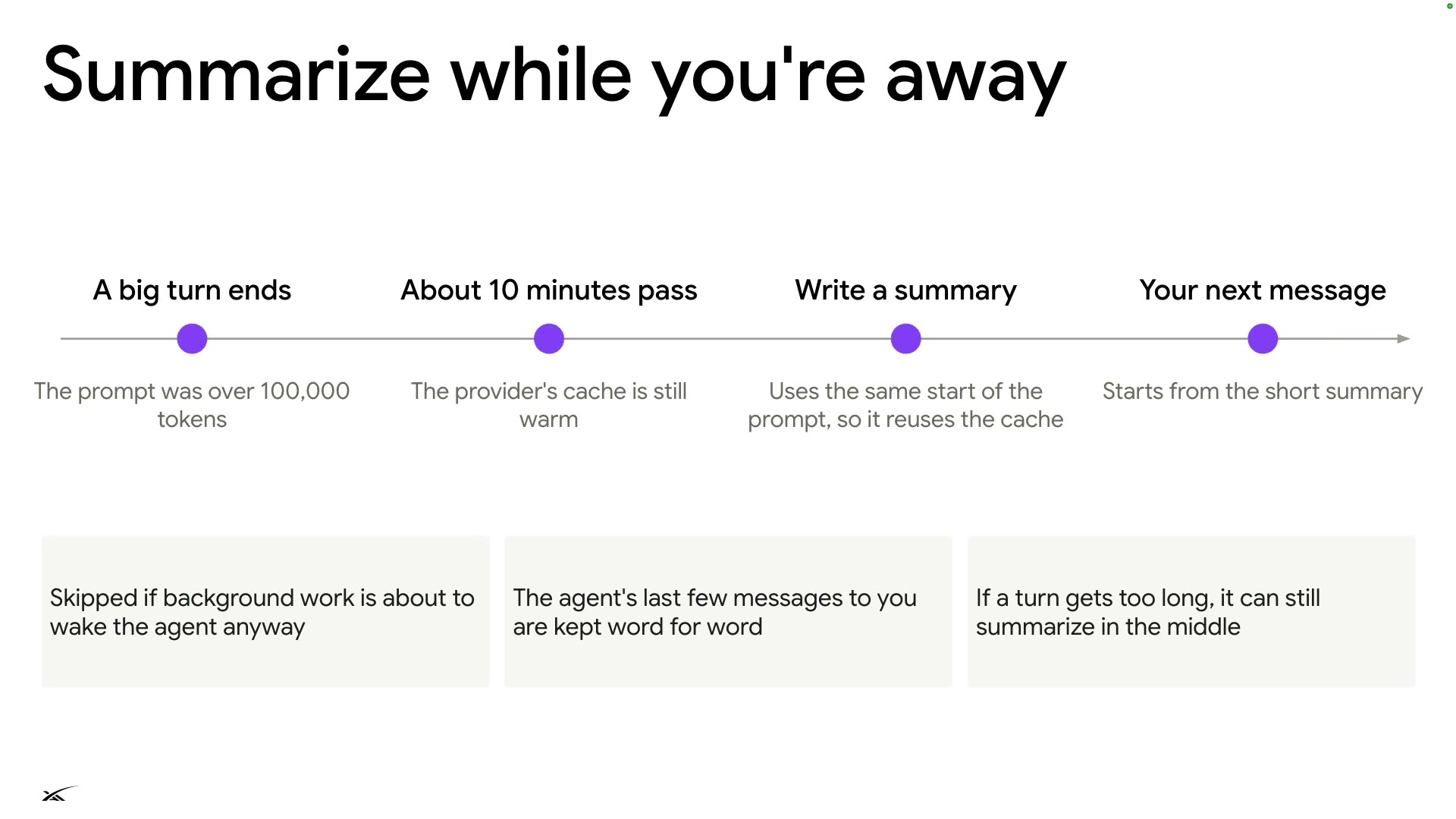
Summarize while you're away
Context engineering ②: compaction and memory
Summarize while the cache is warm
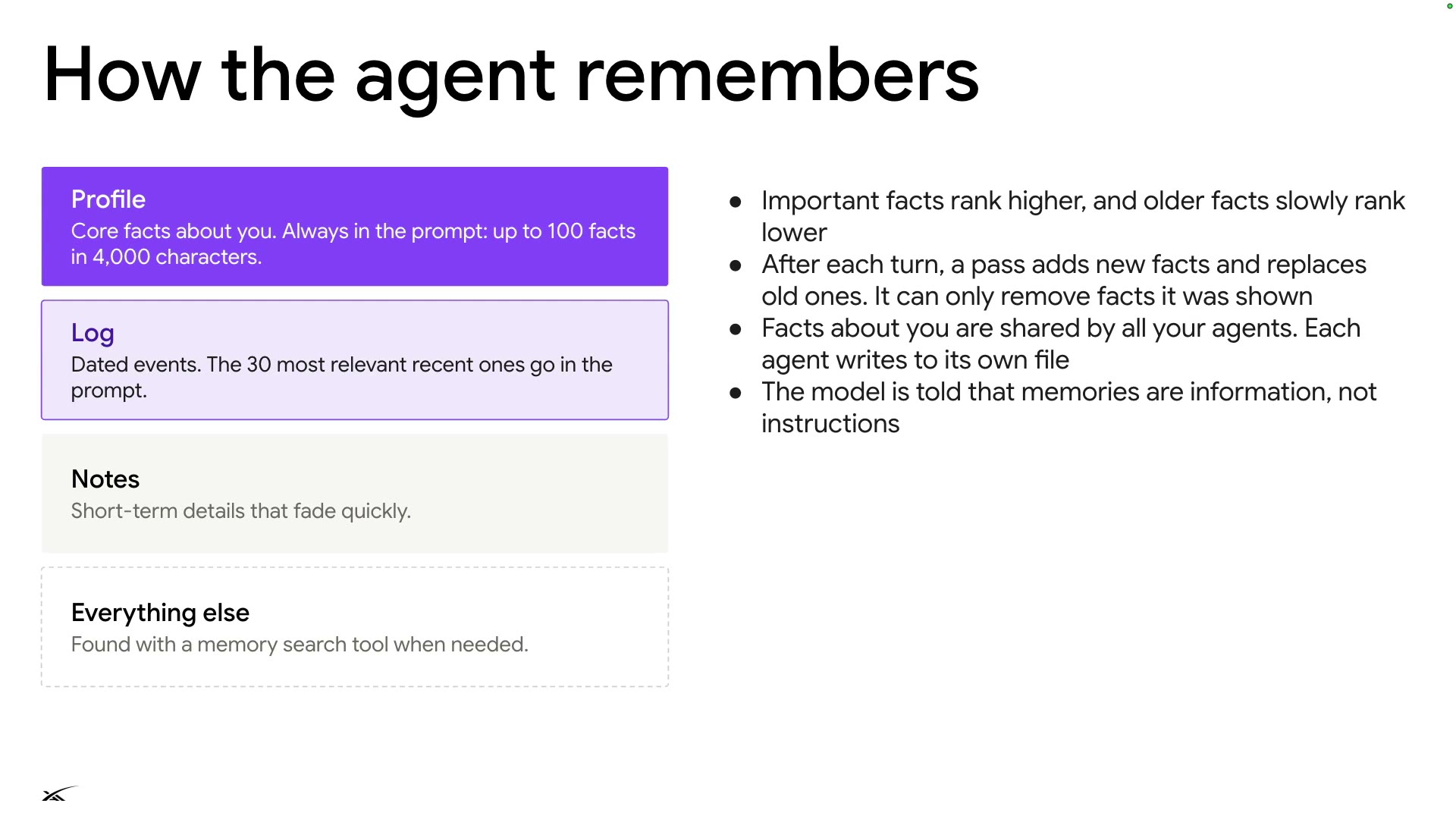
Summarize while the cache is warm. Four memory layers: Profile always in the prompt; Log adds only the 30 most relevant entries.
- Skipped if background work will wake the agent soon.
- Last few messages kept word for word.
- Overlong turns can be summarized mid-turn.
- Important facts rank higher; older ones slowly sink.
- It can only remove facts it was shown.
- Facts about you are shared by all your agents.
- Memories are information, not instructions.
- All compression is lossy; there are probably "entire PhDs just for this problem".
Product and model improve together
Product and model evolve together
Every failure is an eval
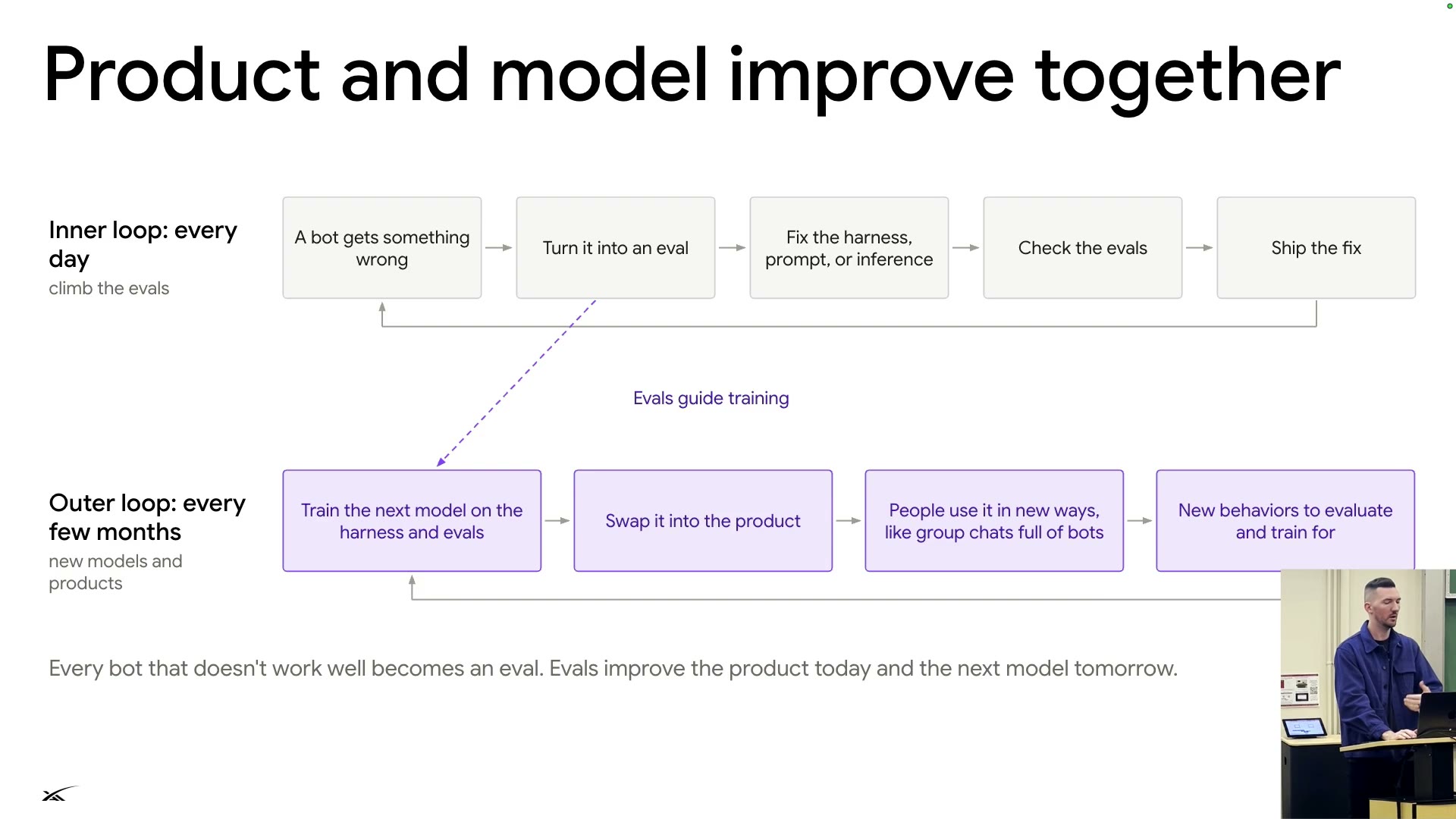
Models are trained for the product. Each failure becomes an eval: the inner loop fixes the harness, the outer loop trains the next model.
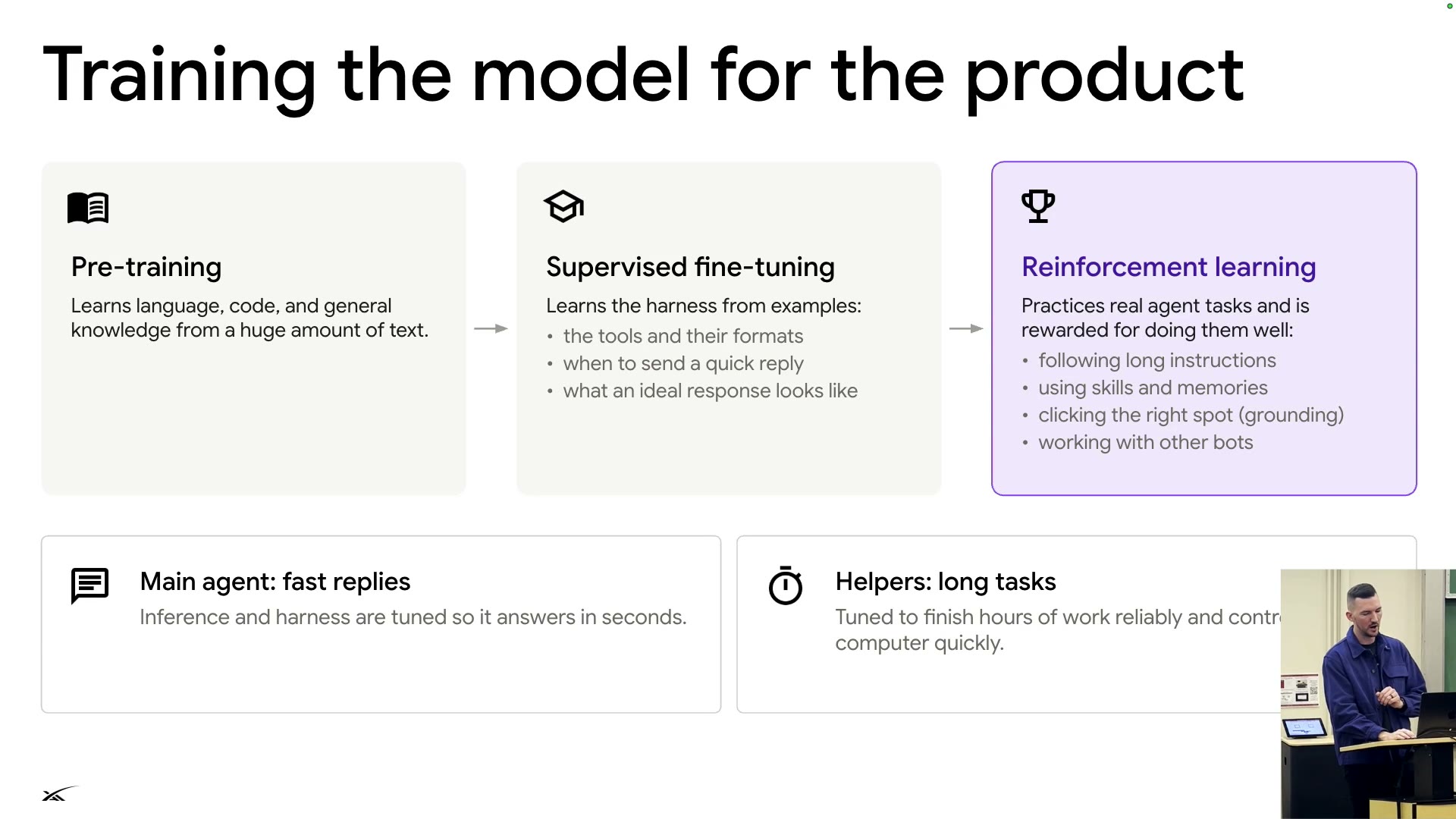
- Three training stages (S37):
- Pre-training: language, code, general knowledge.
- SFT: learns the harness: tools and formats, when to reply quickly.
- RL: practices long instructions, skills and memories, clicking the right spot (grounding), working with other bots.
- Inference is tuned separately: the main agent replies in seconds; helpers reliably run for hours◐.
- 01A bot gets something wrong
- 02Turn it into an eval
- 03Fix the harness, prompt, or inference
- 04Check the evals
- 05Ship the fix
- 01Train the next model on the harness and evals
- 02Swap it into the product
- 03People use it in new ways (e.g. group chats full of bots)
- 04New behaviors to evaluate and train for
Where this is going
Where it goes from here
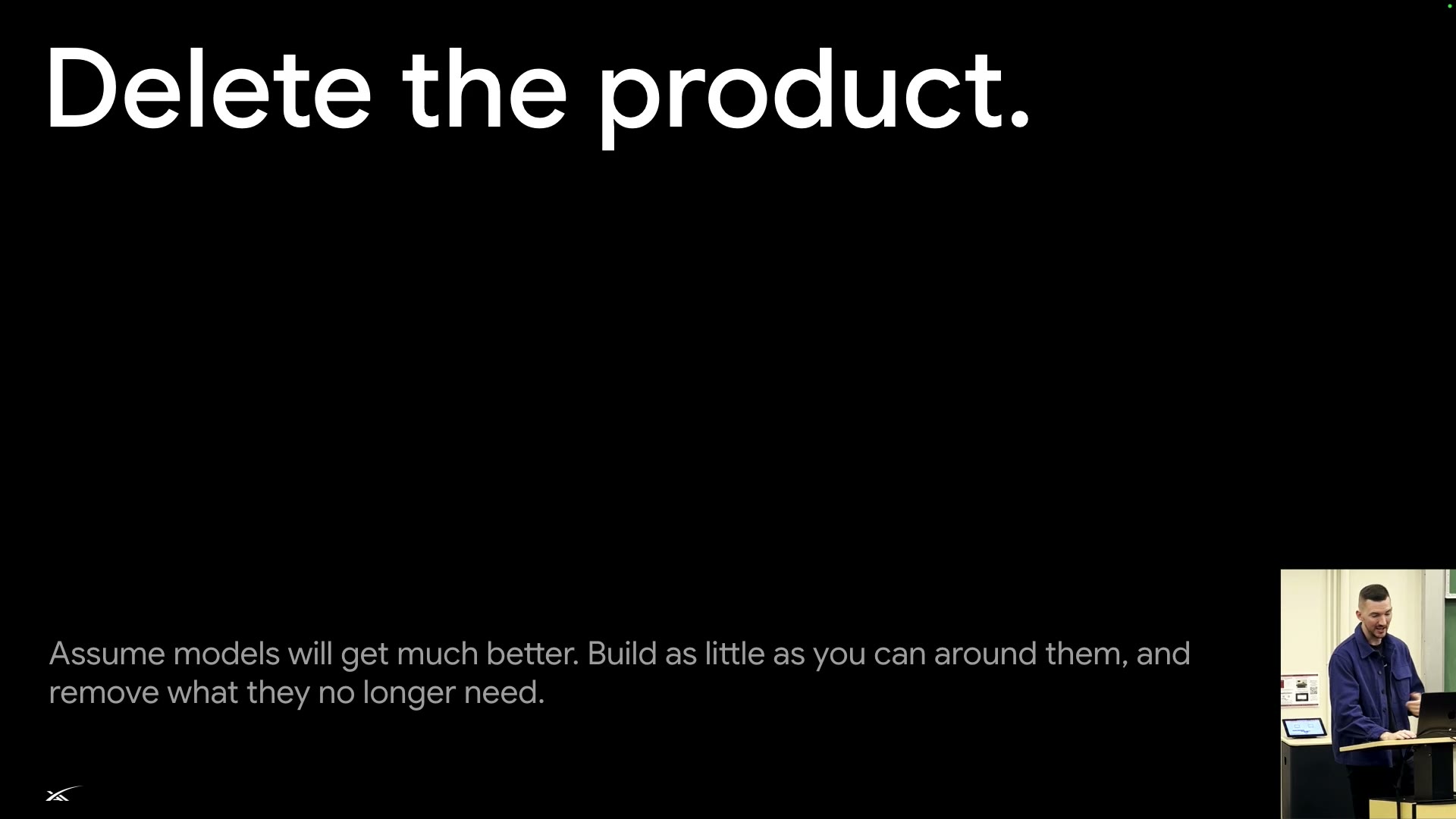
Delete the product
Delete the product: assume models get much better, build as little as you can around them, remove what they no longer need.
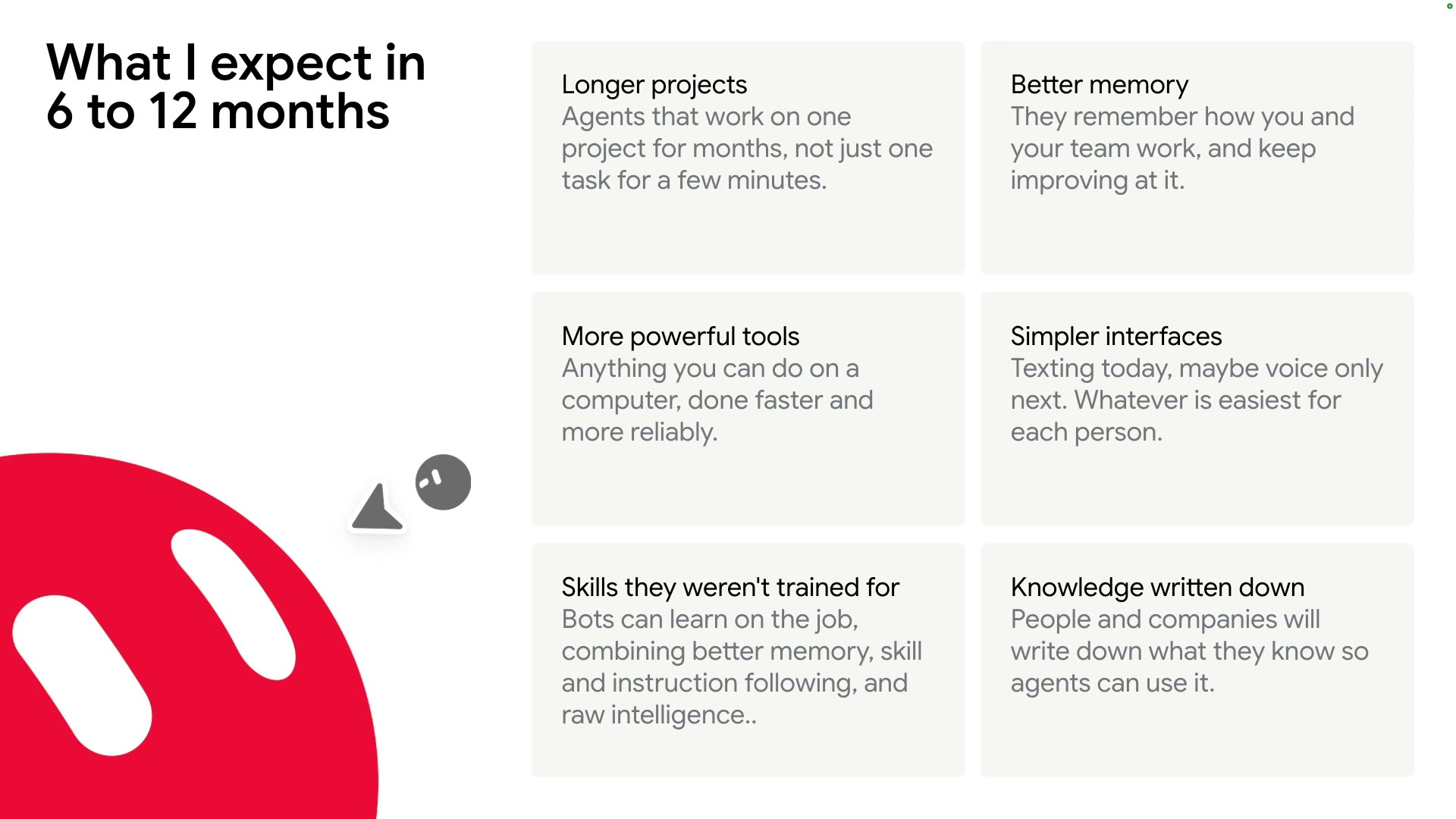
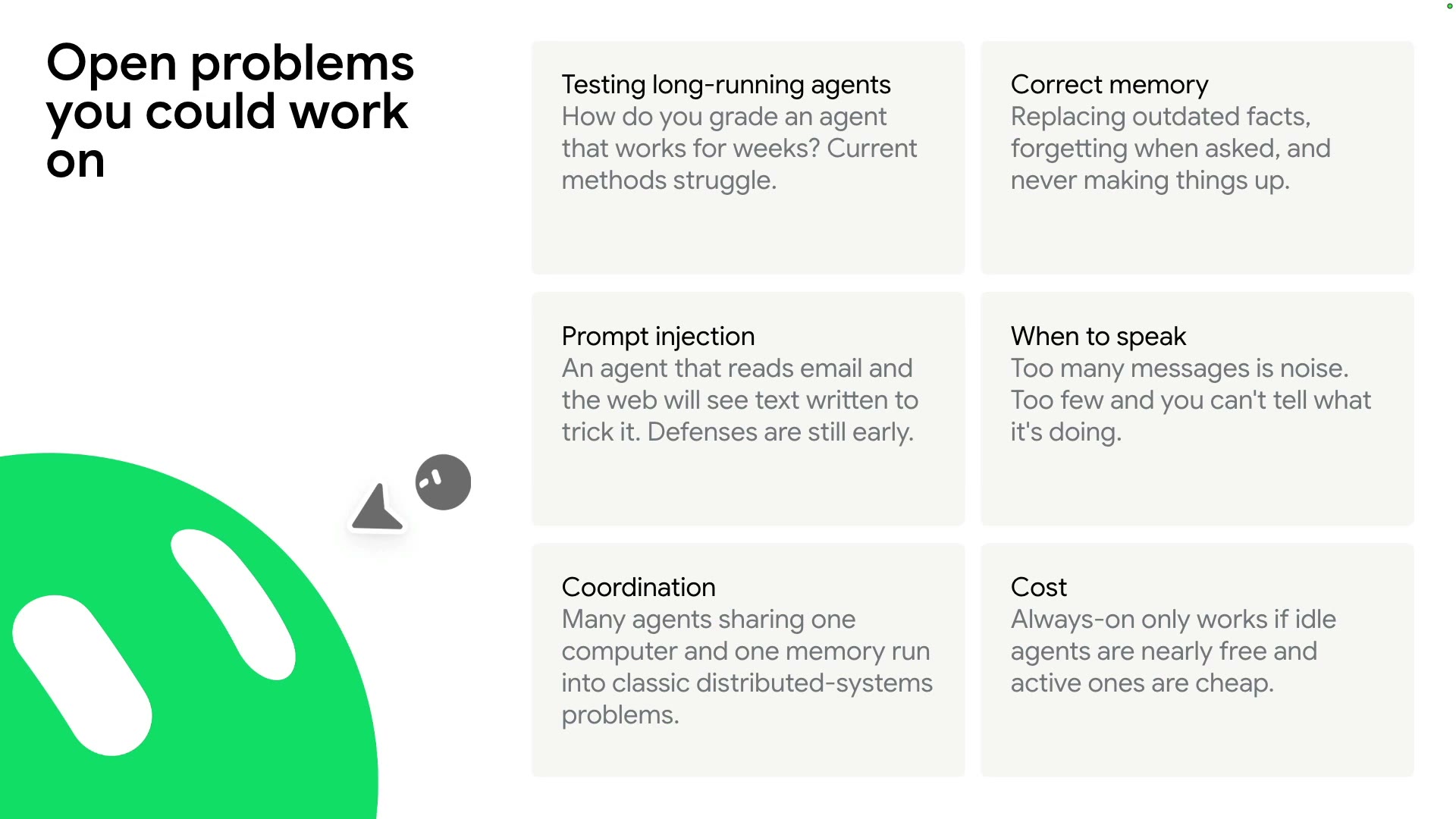
| 6–12 month predictions (S40) | Matching open problems (S41) |
|---|---|
| Longer projects (months) | How to test agents that run for weeks |
| Better memory | Correct memory: update, forget, never make things up |
| More powerful tools | Prompt injection: text in email and web pages written to trick it |
| Simpler interfaces (maybe voice only) | When to speak: too much is noise, too little hides progress |
| Skills learned on the job | Coordination: agents sharing a computer and memory = distributed-systems problems |
| Knowledge written down | Cost: idle nearly free, active cheap |
Rows pair up by theme.
Chips = related chapters
- "The models today are the worst they'll ever be": the UI may need rebuilding within six months. Spoken addition: security against bad actors taking over agents.
What to take away
Takeaways
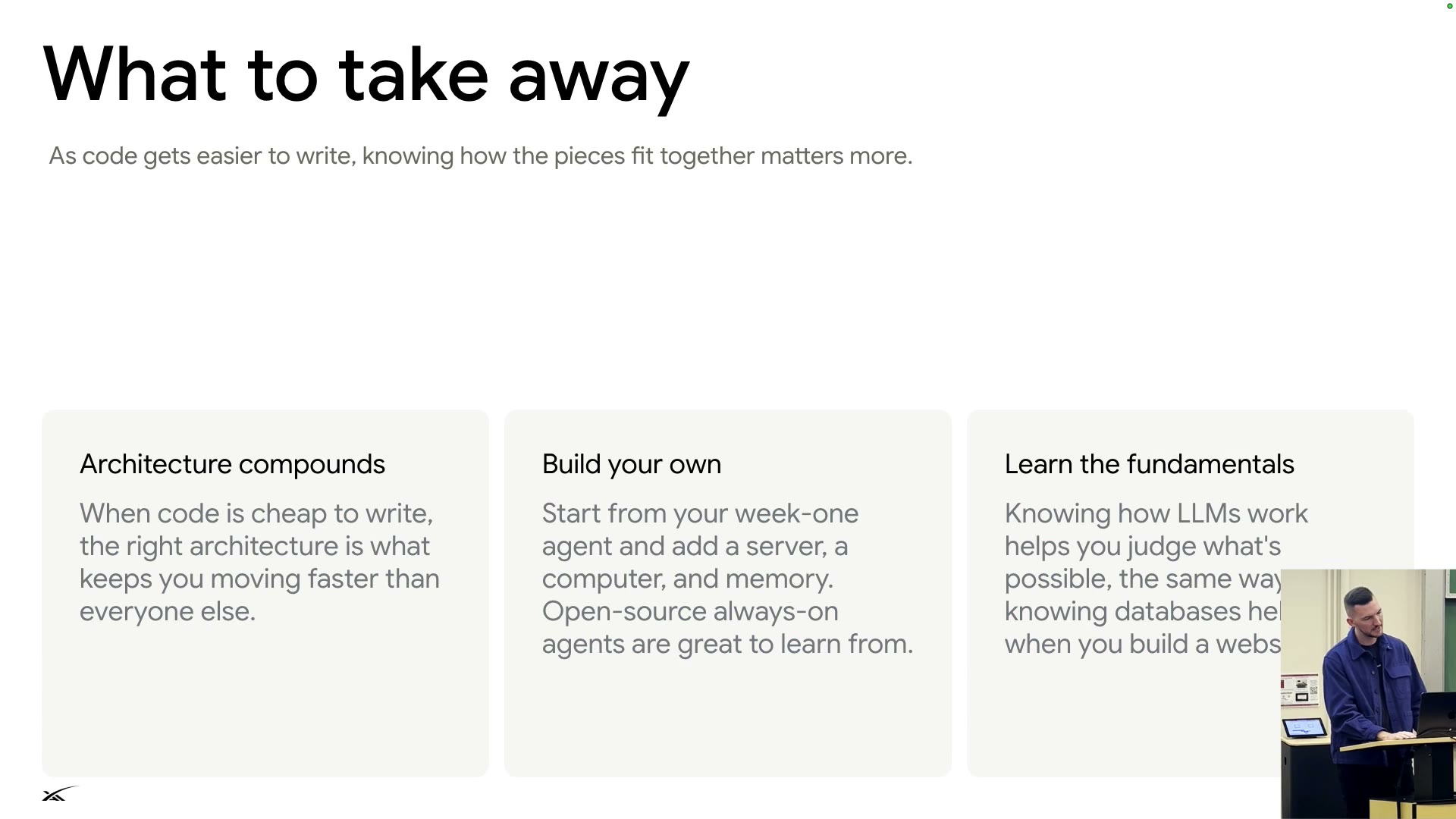
Architecture compounds
As code gets easier to write, knowing how the pieces fit together matters more.
- Architecture compounds: when code is cheap, the right architecture keeps you faster than everyone else.
- Build your own: start from the week-one agent; add a server, a computer, memory. Open-source always-on agents are great to learn from.
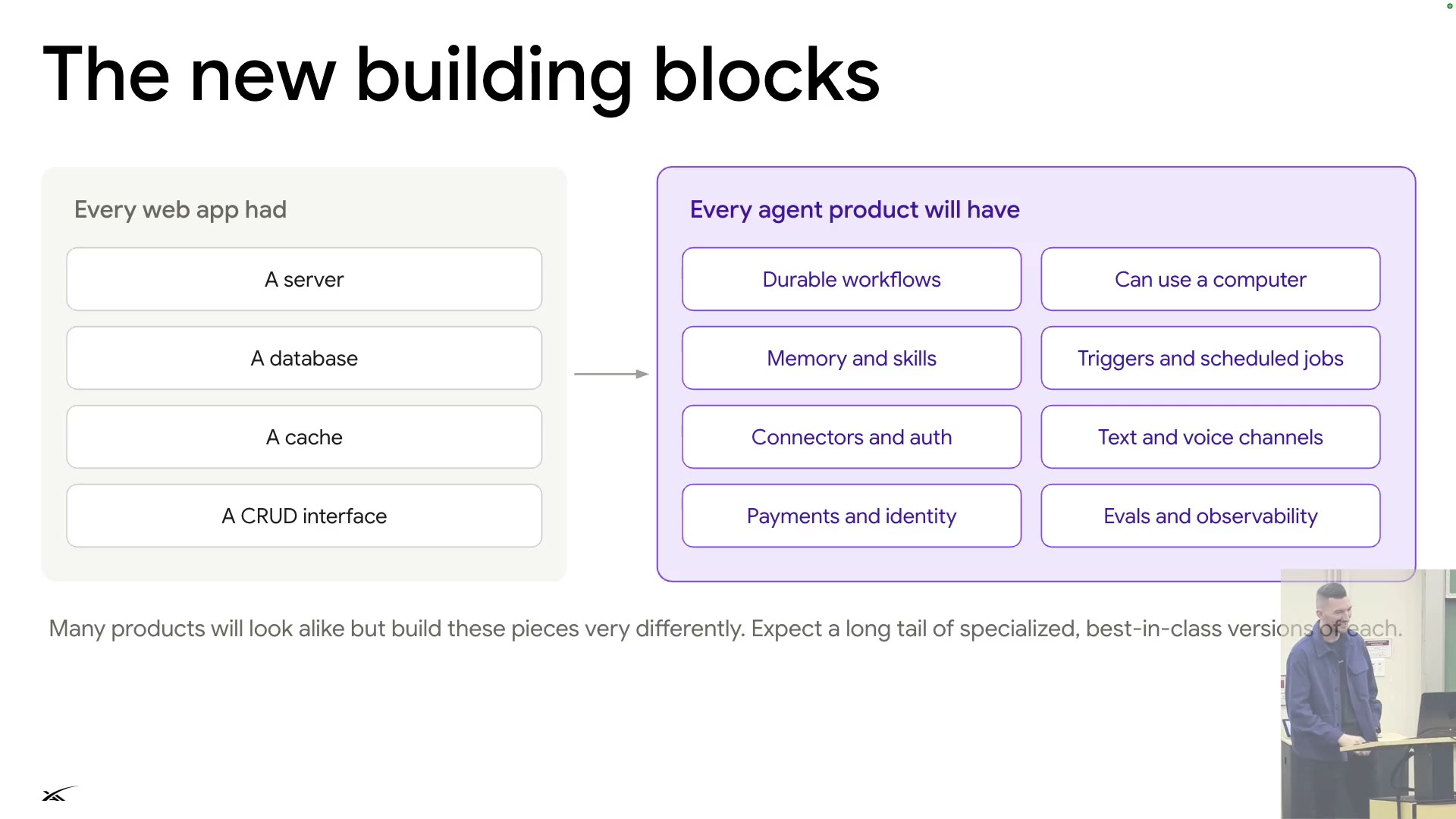
- Learn LLM fundamentals: like knowing databases when building a website◐.
- He still reads his code, especially to understand the architecture he ships.
Summary
Summary
6 principles across the lectureSynthesis
| Principle | Chapters |
|---|---|
| State is the only truth; everything else is disposable | 03Lifecycle04Reliability |
| Silent by default; speak only with reason | 03Lifecycle05SendToUser |
| Main context is the scarcest resource | 06Tools & helpers08Caching09Memory |
| Append, don't edit | 04Reliability08Caching |
| Try the cheapest, most controllable path first | 06Tools & helpers07Safety |
| Every failure is an eval | 10Flywheel |
The speaker's close: assume models get much better; build as little as you can around them. As code gets easier, how the pieces fit matters more.
Glossary
Glossary
glossary25 terms
| Term | Meaning | Example |
|---|---|---|
| Always-on agent | An agent whose state lives on a server, woken by events, able to work for a long time; nothing runs when idle | Bot / GrokBot |
| Harness | The runtime around the model: tools, prompt, loop, state management | GrokBot harness |
| Agent loop | The loop where the model calls tools, gets results, and calls again | S03 |
| Routine | A prompt run on a schedule or by a webhook, like a cron job | Weekday 8:00 morning brief |
| Router | Component that drops duplicates and routes events to the right conversation | S14 |
| Turn | One run of the agent over a batch of messages | S19 |
| Firecracker | Lightweight VM technology, easy to snapshot and restart | The agent's cloud computer |
| Thin client, thick server | Architecture with a light client and a heavy server | S17 |
| Durable workflow | Execution where every step is recorded and a crash resumes from the last step | Temporal |
| Idempotent | Running a step twice gives the same result and does no harm | S20 |
| SendToUser | The agent's only tool for talking to you | S23 |
| MCP / Connector | Protocol for models to call external apps / a tool that connects to an app's API | Gmail, Plaid |
| Dynamic tool discovery | Give tool names first; load details when used | S25 |
| Computer use | The model looks at the screen and uses mouse and keyboard | 1280×800 screen |
| Accessibility tree | Structured list of page elements; uses fewer tokens than screenshots | S27 |
| Grounding | Mapping an instruction to the right spot on screen | "Clicking the right spot" |
| Subagent / helper | A sub-agent with its own context, sent out by the main agent | Video helper |
| Auto-review | A separate model reviews risky actions before they run; if blocked, it asks you | No answer in 15 s keeps it blocked |
| Prompt injection | Instructions hidden in outside text to trick the agent | Phishing email |
| Context window | Maximum tokens a model can handle at once | E.g. 200k tokens |
| Prompt caching / cache miss | Reusing an identical prefix to cut cost / the prefix changed, so full price | S32, S34 |
| Compaction | Compressing a long conversation into a summary; lossy | S35 |
| Eval | Test case that measures model or product behavior | S38 |
| SFT / RL | Supervised fine-tuning / reinforcement learning | S37 |
| Delete the product | Assume models get better; build as little as possible and delete what is no longer needed | S39 |